10 min read
Framer vs Webflow: which platform is right for you?
Choosing between Framer and Webflow isn't just about features — it's about finding the platform that matches the way you work. While both let you design and publish professional websites without writing much code, they excel in different areas.
In this guide, we'll compare Framer and Webflow across design, CMS, SEO, pricing, performance, and ease of use to help you decide which platform is the right fit for your next website.
Introduction
If you've been researching modern website builders, chances are you've come across the same two names over and over again: Framer and Webflow.
Both platforms have established themselves as leaders in the no-code space, empowering designers, marketers, startups, and agencies to build professional websites without relying heavily on developers. They share many similarities—visual editing, responsive design, built-in CMS, hosting, and SEO tools—but their philosophy is fundamentally different.
Webflow has been around for longer and was built around the principles of HTML and CSS. It gives users precise control over layouts, interactions, and content structures, making it a favourite among agencies and professionals building complex websites.
Framer, on the other hand, approaches website creation from a designer's perspective. Its interface feels familiar to anyone coming from Figma, making it remarkably fast to learn and incredibly efficient for building modern marketing websites.
Neither platform is objectively better.
The right choice depends on the type of website you're building, the people who will maintain it, and the workflow you prefer.
In this comparison, we'll look beyond feature lists and explore how Framer and Webflow perform in real-world scenarios—from launching a startup landing page to managing large CMS-driven websites.
Feature | Framer | Webflow | |
|---|---|---|---|
Ease of Use | ⭐⭐⭐⭐⭐ | ⭐⭐⭐⭐ | |
Learning Curve | Very Beginner-Friendly | Moderate | |
Visual Design | ⭐⭐⭐⭐⭐ | ⭐⭐⭐⭐ | |
CMS | ⭐⭐⭐⭐ | ⭐⭐⭐⭐⭐ | |
Animations | ⭐⭐⭐⭐⭐ | ⭐⭐⭐⭐⭐ | |
SEO | ⭐⭐⭐⭐⭐ | ⭐⭐⭐⭐⭐ | |
Performance | ⭐⭐⭐⭐⭐ | ⭐⭐⭐⭐⭐ | |
Templates | Growing Marketplace | Large Marketplace | |
Collaboration | Excellent | Very Good | |
Best For | Marketing websites, Professional websites, startups, portfolios |
|
Our Verdict: If your goal is to launch beautiful marketing websites as quickly as possible, Framer is the stronger choice. If you're building large content-driven websites with advanced CMS requirements, Webflow still offers more flexibility.
What Is Framer?
Framer started life as a prototyping tool for product designers, but over the last few years it has evolved into one of the most compelling website builders on the market.
Today, Framer combines visual design, CMS, hosting, analytics, localization, forms, and publishing into a single platform. Instead of thinking like a developer, you design directly on the canvas, making it feel much closer to tools like Figma than traditional website builders.
One of Framer's biggest strengths is its speed.
A designer can go from an idea to a live website in a matter of hours, often without touching code. Responsive layouts are intuitive, animations are easy to create, and publishing takes just a few clicks.
This workflow has made Framer particularly popular among:
SaaS startups
Marketing teams
Designers
Freelancers
Creative agencies
Portfolio creators
Another major advantage is how naturally Framer supports modern web design.
Effects such as scroll transforms, component variants, interactive navigation, responsive typography, and sophisticated animations are built into the platform instead of requiring custom code or third-party integrations.
That doesn't mean Framer is limited to landing pages.
Its CMS has matured significantly, supporting blogs, directories, case studies, job boards, documentation, and other dynamic content. However, compared to Webflow, it's still designed around simplicity rather than complexity.
For many businesses, that's actually an advantage.
Instead of exposing hundreds of settings, Framer focuses on making the most common tasks feel effortless.
Pro Tip: One of Framer's biggest advantages isn't a feature—it's the workflow. If your team already designs in Figma, most people become productive in Framer within a few hours because many of the layout concepts feel immediately familiar.
What Is Webflow?
Webflow has been one of the leading no-code website builders for more than a decade and is widely recognised for bringing the power of HTML, CSS, and JavaScript into a visual interface.
Unlike Framer, Webflow isn't primarily a design-first tool.
It's a visual development platform.
Every layout is built around the browser's rendering model, giving users granular control over positioning, spacing, breakpoints, interactions, and responsive behaviour. While this approach requires a steeper learning curve, it also enables a level of flexibility that few visual website builders can match.
This is one of the main reasons why Webflow has become a favourite among professional agencies and web studios.
Projects involving dozens of CMS collections, complex filtering, advanced interactions, custom code, memberships, or enterprise-level requirements often fit naturally within the Webflow ecosystem.
Its CMS remains one of the platform's strongest selling points.
Collections can be connected through reference fields, making it possible to model sophisticated relationships between different types of content. For example, a single author can be linked to multiple blog posts, case studies, events, or documentation pages without duplicating information.
Webflow also benefits from a mature ecosystem.
A large community, an extensive template marketplace, a wide range of third-party integrations, and years of educational resources make it easy to find tutorials or solutions for almost any challenge.
The trade-off is complexity.
For designers without a background in HTML and CSS, concepts like the box model, positioning, classes, and cascading styles can initially feel overwhelming. The platform rewards users who invest time learning it, but it's generally less approachable than Framer for newcomers.
That said, for projects where flexibility is more important than speed, Webflow continues to set the benchmark.
Good to know: Many comparisons describe Webflow as "hard to learn." That's only partly true. Designers with a basic understanding of HTML and CSS usually adapt quickly. Those coming exclusively from design tools like Figma often experience a steeper learning curve because Webflow exposes many of the concepts that browsers use under the hood.
Framer vs Webflow: Detailed Comparison
Ease of Use
For most people, the first impression of a platform determines whether they'll continue using it. A powerful tool isn't particularly useful if it takes weeks to become productive.
This is where Framer and Webflow differ the most.
Framer was designed with designers in mind. Its interface feels remarkably similar to Figma, using familiar concepts such as frames, stacks, components, breakpoints, and auto-layout. If you've designed interfaces before, you'll likely feel comfortable within a few hours.
Webflow follows a different philosophy.
Rather than hiding the underlying mechanics of the web, it exposes them. Layouts are built using CSS principles like Flexbox, Grid, positioning, margins, padding, and classes. While this provides greater control, it also means there's more to learn before you can confidently build responsive websites.
For experienced designers or front-end developers, this isn't necessarily a disadvantage. Understanding how websites are built often leads to cleaner, more scalable projects.
However, for freelancers, startup founders, marketers, or designers who simply want to publish a website quickly, Framer offers a much smoother learning experience.
One aspect that's often overlooked is iteration speed.
In Framer, it's incredibly easy to experiment with layouts, duplicate sections, adjust spacing, or create responsive variations without feeling like you're "fighting" the tool. The interface encourages exploration, making the design process feel fluid.
Webflow, by comparison, rewards planning and structure. Making significant layout changes later in a project can require updating classes, checking breakpoints, and ensuring styles remain consistent across the site.
Neither approach is wrong—they simply prioritise different workflows.
Winner: ⚫ Framer
Framer has a significantly shorter learning curve and allows most users to become productive much faster.
Pro Tip
If your team already designs in Figma, Framer feels like a natural extension of your existing workflow. That familiarity can dramatically reduce onboarding time for both designers and clients.
Design Experience
Although both platforms allow you to create visually impressive websites, the experience of designing in each one is noticeably different.
Framer feels like a modern design tool that happens to publish websites.
Everything happens directly on the canvas. You can drag, resize, rearrange, preview animations, and build responsive layouts with very little friction. The interface stays out of your way, allowing you to focus on the design rather than the implementation.
This becomes especially valuable during the early stages of a project.
When exploring ideas, designers often make dozens of small adjustments—moving sections, changing layouts, testing typography, experimenting with colour palettes, or refining spacing. Framer makes these iterations feel almost effortless.
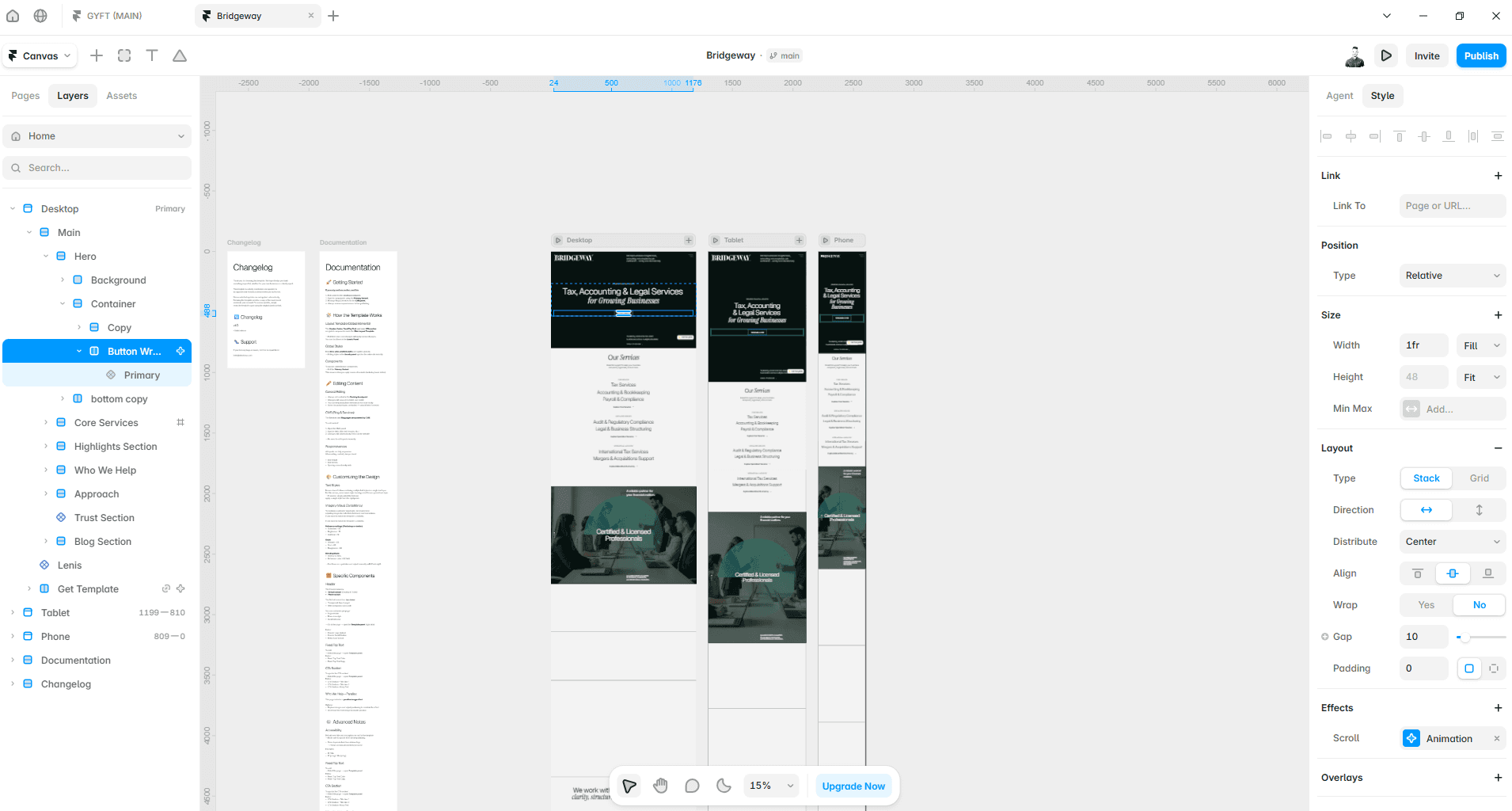
Webflow approaches design from the opposite direction.
Instead of thinking like a design application, it thinks like a browser. Every visual decision corresponds to CSS properties behind the scenes. While this provides exceptional precision, it also means that designing often feels closer to visual development than pure creative exploration.
For many professional agencies, that's exactly what makes Webflow so powerful.
Design decisions remain tightly connected to production-ready code, reducing surprises when a project goes live.
For designers, however, Framer's approach often feels more intuitive.
Another area where Framer excels is component creation.
Variants, interactive states, and reusable components are deeply integrated into the editor. Combined with variables and design systems, it's possible to maintain consistency across large websites without introducing unnecessary complexity.
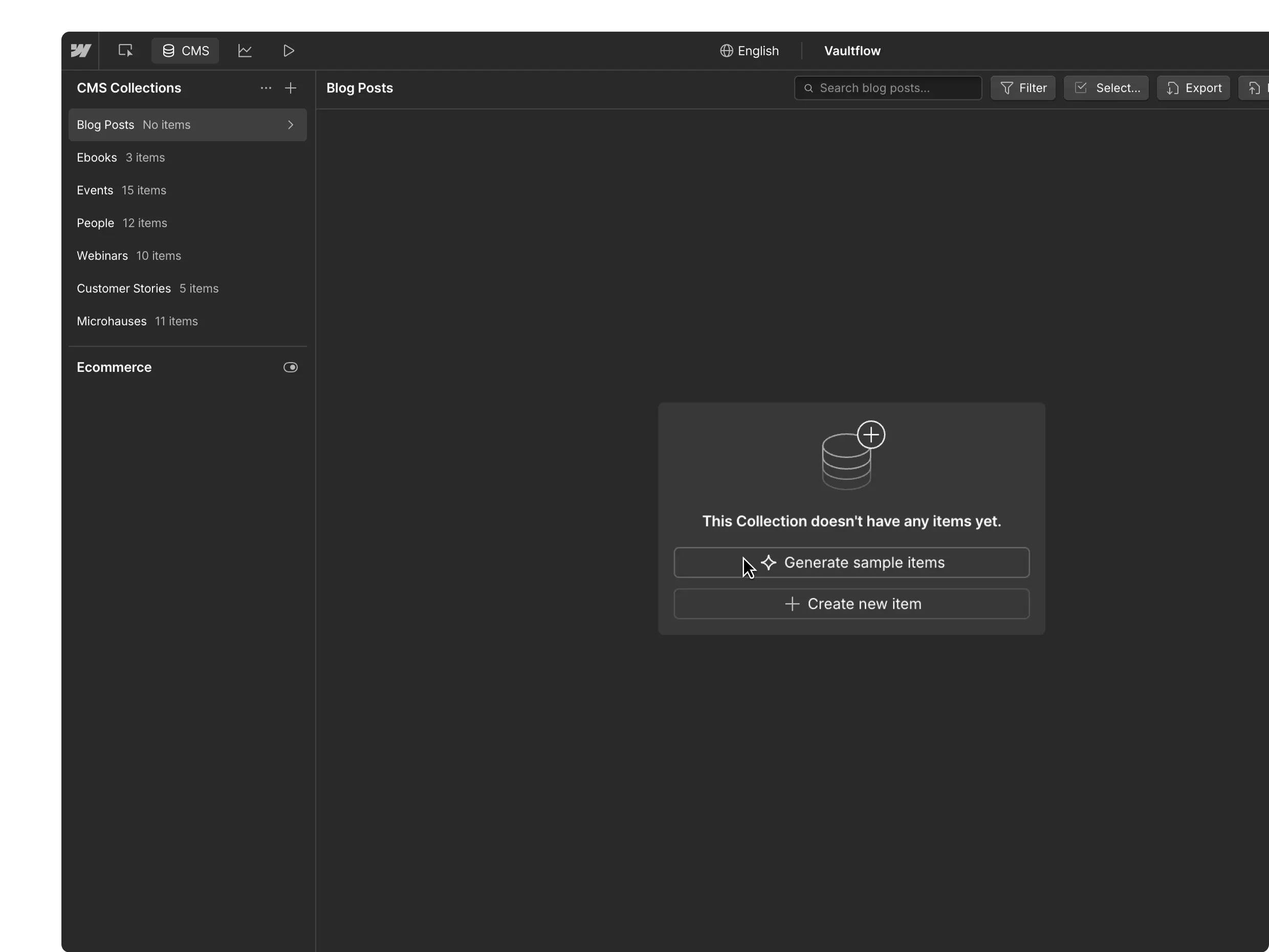
Webflow also supports reusable components, but creating and managing them generally requires a more structured workflow.
Ultimately, both platforms are capable of producing exceptional websites.
The difference lies in how enjoyable the creative process feels.
Winner: ⚫ Framer
Designers who value speed, creativity, and visual experimentation will generally find Framer to be the more enjoyable platform to work with.
Common Mistake
Many people assume that Webflow is "more professional" simply because it's more complex. In reality, both platforms are capable of producing production-ready websites. The better choice depends on your workflow—not the number of settings available.
CMS
Content Management Systems are often where the biggest differences between website builders become apparent.
If you're building a simple marketing website with a blog, team page, or case studies, both Framer and Webflow will handle the job comfortably.
The gap appears as projects become more complex.
Webflow has one of the most advanced visual CMS systems available today. Collections can be connected through reference and multi-reference fields, allowing you to model sophisticated relationships between different types of content.
For example, you might create:
Authors connected to blog posts
Categories connected to articles
Products connected to manufacturers
Team members connected to projects
Events connected to speakers
These relationships make it possible to build large, content-rich websites without duplicating information.
Framer's CMS has evolved rapidly over the last few years and now covers the needs of most marketing websites. Blogs, documentation, careers pages, directories, and case studies are all straightforward to build, and recent improvements have made content editing significantly more flexible.
However, its philosophy remains intentionally simpler.
Rather than offering every possible CMS feature, Framer focuses on making common publishing workflows easy to manage. For startups and small businesses, that's often exactly what's needed.
The question isn't whether Framer's CMS is good.
It absolutely is.
The question is whether your project actually requires the additional complexity that Webflow provides.
For the vast majority of company websites, portfolios, SaaS products, and landing pages, Framer's CMS is more than capable.
For enterprise websites with thousands of interconnected records, Webflow still has the advantage.
Winner: 🟣 Webflow
Webflow offers a more mature and flexible CMS, particularly for large, content-heavy websites with complex relationships between collections.
Good to Know
A more powerful CMS isn't always better. If your content team only needs to publish blog posts, edit landing pages, and update case studies, a simpler CMS can actually reduce training time and minimise publishing errors.
Animations
Modern websites are expected to feel interactive. Subtle hover effects, smooth page transitions, and scroll-based animations all contribute to a better user experience when used thoughtfully.
Both Framer and Webflow excel in this area, but they take very different approaches.
Framer was built around animation from the very beginning. Creating motion feels like a natural extension of the design process rather than a separate task. You can animate almost any property directly from the canvas, add scroll effects with just a few clicks, and create polished interactions without writing code or configuring complex timelines.
This simplicity makes a noticeable difference during day-to-day work.
Adding a fade-in animation to a section, scaling an image on hover, or creating parallax effects often takes seconds rather than minutes. Because animations are integrated into the design workflow, you're more likely to experiment with motion throughout the project.
Webflow offers a much more powerful interaction engine.
Its timeline-based approach gives you precise control over how elements animate, making it possible to build highly sophisticated experiences with multiple triggers, chained animations, and conditional logic.
The trade-off is complexity.
Creating even relatively simple interactions often requires switching to the Interactions panel, defining triggers, creating timelines, and managing multiple animation steps. The learning curve is considerably steeper, but the creative possibilities are almost endless.
For marketing websites, portfolios, and startup landing pages, Framer's animation system is often more than enough.
For highly customised interactive experiences where every detail needs to be choreographed, Webflow still offers greater control.
Winner: 🤝 Draw
Framer makes animations dramatically easier to create, while Webflow provides more advanced control. Which one is better depends entirely on the complexity of your project.
Pro Tip
The best animations are often the ones users barely notice. Focus on improving clarity and guiding attention rather than adding movement simply because you can.
SEO
Search engine optimisation is often cited as one of Webflow's biggest advantages.
A few years ago, that was a fair assessment.
Today, however, the gap has become much smaller.
Both Framer and Webflow generate clean, semantic HTML, allow you to customise page titles and meta descriptions, generate XML sitemaps automatically, support canonical URLs, Open Graph metadata, redirects, robots.txt configuration, and custom schema markup.
From a technical SEO perspective, both platforms provide everything most websites need.
Where Webflow still has an advantage is flexibility.
Its more mature CMS allows for sophisticated content structures, dynamic templates, and highly customised SEO implementations across large websites. If you're managing thousands of pages with complex relationships, Webflow offers more granular control over how metadata and content are generated.
For the majority of websites, however, those differences are unlikely to affect rankings.
A startup landing page, agency website, portfolio, or company blog can achieve excellent search performance on either platform. Factors such as content quality, search intent, internal linking, backlinks, and page experience will have a far greater impact than the website builder itself.
Another important consideration is performance.
Both platforms are capable of achieving excellent Core Web Vitals, which means neither forces you into technical compromises that could negatively affect SEO.
Ultimately, choosing between Framer and Webflow based solely on SEO is becoming increasingly difficult to justify.
Both have matured into capable, search-friendly platforms.
Winner: 🤝 Draw
Both platforms provide the technical foundations required for excellent SEO. In most cases, your content strategy will have a much greater impact than your choice of website builder.
Common Mistake
Choosing a platform because it's supposedly "better for SEO" rarely leads to better rankings. Consistently publishing high-quality content and building topical authority will almost always matter more than the CMS you're using.
Performance
Website speed affects everything from user experience to search rankings and conversion rates.
Fortunately, performance is an area where both Framer and Webflow perform exceptionally well.
Both platforms serve websites through modern global infrastructure, optimise assets automatically, generate responsive images, and deliver static content efficiently through CDNs.
For most websites, loading times are excellent straight out of the box.
Framer deserves particular credit for how much optimisation happens automatically.
Images are compressed and served in modern formats, responsive sizing is handled for you, and many best practices are built into the publishing process. As a result, it's entirely possible to achieve outstanding Core Web Vitals without spending hours tweaking performance settings.
Webflow offers similar capabilities while giving developers slightly more control over implementation details.
On larger websites, this additional flexibility can be valuable, particularly when working with custom code or more complex layouts.
In practice, though, it's rare for visitors to notice any meaningful difference between two well-built websites—one created in Framer and the other in Webflow.
Poor performance is far more likely to result from oversized images, excessive third-party scripts, or poorly optimised content than from the platform itself.
Winner: 🤝 Draw
Both platforms are capable of delivering fast, high-performing websites. The quality of the implementation matters far more than the choice of platform.
Pricing
Pricing is rarely the deciding factor, but it's still an important consideration—particularly for freelancers, startups, and agencies managing multiple websites.
At first glance, both platforms offer similar subscription models, but their pricing structures are quite different.
Framer keeps things relatively straightforward. Plans are designed around the type of website you're building, making it easy to estimate costs before starting a project. For marketing websites, portfolios, and company sites, the pricing is generally predictable and easy to understand.
Webflow's pricing is more granular.
In addition to Workspace plans, you'll also need to consider Site plans, CMS plans, Ecommerce plans, and potential team costs. This flexibility allows Webflow to accommodate a wide variety of projects, but it can also make pricing more difficult to navigate—especially for newcomers.
For agencies managing multiple client websites, both platforms can represent excellent value.
The difference lies more in the type of work you're doing than the monthly subscription itself.
If your business focuses on marketing websites, Framer's simpler pricing model is often easier to manage.
If you're building enterprise websites with advanced CMS requirements, Webflow's additional cost is usually justified by the flexibility it provides.
Winner: 🤝 Draw
f you're building marketing websites, portfolios, or startup landing pages, Framer's pricing is straightforward and easy to understand. If you're managing large CMS-driven websites or enterprise projects, Webflow's higher cost is often justified by the additional flexibility it provides.
Collaboration & Integrations
Modern websites are rarely built by a single person.
Designers, marketers, copywriters, developers, and clients often need to collaborate throughout the project, making collaboration features increasingly important.
Both Framer and Webflow support collaborative workflows, content editing, commenting, and publishing permissions.
Framer shines in teams where design is central to the process.
Because the editor feels familiar to many designers, stakeholders can quickly review pages, suggest changes, and publish content with minimal training. This makes collaboration particularly smooth for startups and marketing teams working at a fast pace.
Webflow offers a more mature ecosystem.
Its Marketplace, API, integrations, and extensive developer community make it easier to connect with third-party tools and build highly customised workflows. For larger organisations with more complex technical requirements, this ecosystem remains one of Webflow's greatest strengths.
Ultimately, both platforms support professional collaboration extremely well.
The difference is less about capability and more about workflow preference.
Winner: 🤝 Draw
Framer offers a more intuitive collaborative experience, while Webflow benefits from a larger ecosystem and more extensive integration options.
Category | Winner | Why |
|---|---|---|
Ease of Use | ⚫ Framer | Faster to learn and easier for designers |
Design Workflow | ⚫ Framer | Feels much closer to Figma |
CMS | 🟣 Webflow | More powerful for complex content structures |
SEO | 🤝 Draw | Both provide everything needed for excellent SEO |
Performance | 🤝 Draw | Excellent Core Web Vitals on both platforms |
Animations | 🤝 Draw | Different approaches, equally capable |
Flexibility | 🟣 Webflow | More control and customization |
Speed to Launch | ⚫ Framer | Significantly faster workflow |
Best for Marketing Websites | ⚫ Framer | Built around modern marketing websites |
Best for Large CMS Projects | 🟣 Webflow | Better suited to complex, content-heavy websites |
Framer vs Webflow: Pros and Cons
After comparing both platforms across design, CMS, SEO, pricing, and performance, it's clear that neither Framer nor Webflow is universally better. Each excels in different scenarios.
Here's a quick summary of where each platform stands.
Framer
Pros
Intuitive interface with a minimal learning curve
Familiar workflow for designers coming from Figma
Fastest path from design to a live website
Excellent built-in animations and interactions
Clean, modern publishing experience
Great for marketing websites, startups, and portfolios
Simple collaboration workflow
Growing ecosystem and template marketplace
Cons
CMS is less flexible than Webflow's for complex projects
Fewer advanced customization options
Smaller integration ecosystem
Less suited to enterprise-scale websites
Some plan limits can become restrictive as projects grow
Webflow
Pros
Extremely powerful CMS with advanced content relationships
Precise visual control over layouts and styling
Mature ecosystem with extensive integrations
Excellent for agencies and enterprise websites
Flexible interaction system for advanced animations
Large community and educational resources
Cons
Steeper learning curve
Interface can feel overwhelming for beginners
More technical concepts to understand
Pricing structure is more difficult to navigate
Slower design iteration for non-technical users
When Should You Choose Framer?
Framer is the better choice if your priority is building modern websites quickly without sacrificing design quality.
It's particularly well suited to designers, startups, freelancers, and marketing teams that need to launch websites efficiently while maintaining a polished user experience.
Choose Framer if you're building:
Startup landing pages
Product launch pages
Blogs and content marketing websites
Websites that rely heavily on visual storytelling
Framer is also an excellent option if your team already uses Figma.
The similarities between the two tools significantly reduce the learning curve, making it easier for designers to move from mockups to production without changing the way they think about layout and design.
Perhaps Framer's greatest strength is that it allows small teams to move incredibly fast.
If your goal is to publish beautiful websites with minimal friction, few platforms currently offer a smoother experience.
Pro Tip
Don't underestimate the value of speed. Launching your website two weeks earlier often creates more business value than spending those two weeks perfecting minor technical details that visitors will never notice.
When Should You Choose Webflow?
Webflow becomes the stronger option as projects grow in complexity.
If you're building websites that depend on sophisticated content structures, advanced interactions, or highly customised functionality, Webflow offers a level of flexibility that Framer doesn't currently match.
Choose Webflow if you're building:
Large editorial websites
News platforms
Content-heavy corporate websites
Enterprise marketing websites
Directories with complex relationships
Large client projects with extensive CMS requirements
Websites requiring significant custom development
Webflow is also an excellent choice for agencies whose teams already understand HTML and CSS principles.
Its visual development approach allows experienced users to build highly customised websites while maintaining precise control over every aspect of the implementation.
The additional complexity is often justified when flexibility becomes a business requirement rather than simply a nice-to-have feature.
Final Verdict
So, which platform should you choose?
For most designers, startups, freelancers, and marketing teams, Framer is likely the better choice.
Its intuitive interface, fast workflow, and design-first approach make it one of the most enjoyable ways to build modern websites today. You spend less time configuring the platform and more time designing, iterating, and publishing.
That said, Webflow remains an exceptional platform.
Its CMS, flexibility, and mature ecosystem continue to make it the preferred choice for agencies and organisations building large, content-rich websites with more demanding technical requirements.
Ultimately, this isn't a question of which platform is objectively better.
It's a question of choosing the right tool for the type of website you're building.
If speed, simplicity, and modern design are your priorities, Framer is difficult to beat.
If your project depends on advanced content architecture and maximum flexibility, Webflow remains one of the strongest website builders available.
Key Takeaways
Framer offers the shortest path from design to a live website.
Webflow provides a more advanced CMS and greater technical flexibility.
Both platforms deliver excellent SEO foundations and website performance.
Framer is particularly well suited to startups, portfolios, agencies, and marketing websites.
Webflow is the stronger option for enterprise projects and complex content-driven websites.
Your workflow matters more than the number of features a platform offers.
Choosing the platform that fits your team's skills will usually lead to better long-term results than choosing the platform with the longest feature list.

Try Systeme.io
Your website is only the beginning.
Take your Framer site further with funnels, email marketing, automation, bookings and more.


AFFILIATE PARTNER