22 min read
Can You Build an Ecommerce Website with Framer? Options and Limitations in 2026
Building an online store no longer means using the same platform for the design, product management, payments, and fulfillment. With the right setup, Framer can provide the visual storefront while another service handles the operational side of ecommerce.
So, can you build an ecommerce website with Framer? Yes—but Framer is not a complete ecommerce platform on its own. Depending on what you want to sell, you may only need an external payment link, or you may need to connect Framer to Stripe, Shopify, or another commerce platform.
This flexibility makes Framer particularly attractive to brands that care about distinctive layouts, storytelling, animation, and creative control. However, it also means that the final setup can involve additional tools, costs, and maintenance that are easy to overlook.
In this guide, we will examine the main ways to add ecommerce to Framer, what each approach is best suited for, and the limitations you should consider before choosing it for your online store.
Does Framer Have Native Ecommerce?
Framer does not currently provide a complete native ecommerce system comparable to Shopify, WooCommerce, or Wix Stores.
Its built-in tools give you considerable control over the storefront itself. You can design product pages, create reusable components, manage content through the Framer CMS, build forms, and publish the finished website using Framer’s hosting infrastructure.
However, Framer does not natively provide the complete operational layer required to run most online stores, including:
A shopping cart and checkout system;
Payment processing;
Product inventory and stock management;
Order management and fulfillment;
Shipping rates and tax calculations;
Customer accounts and order histories;
Returns, discounts, and other advanced commerce features.
A CMS collection can be used to display products, prices, images, and descriptions, but it does not automatically turn those items into products that customers can purchase. Additional functionality is still required to connect the storefront to a payment or ecommerce system.
This is where third-party tools and plugins come in. The Framer Marketplace now includes several ecommerce integrations. Some connect Framer directly to Stripe or another checkout service, while others use Framer as the frontend for a Shopify-powered store.
The distinction is important when choosing a Framer template. A template may include polished product pages, shopping cart designs, and checkout screens without containing the infrastructure needed to process a real transaction. Unless the listing explicitly states otherwise, ecommerce functionality should not be assumed from the design alone.
The most useful way to think about Framer ecommerce is therefore:
Framer controls the storefront: the layout, branding, content, interactions, and customer-facing experience.
A commerce service controls the transaction: products, payments, inventory, orders, shipping, and other store operations.
For a small store, this division can remain relatively simple. For a larger or more complex business, the choice of commerce backend becomes just as important as the Framer website itself.
Four Ways to Add Ecommerce to Framer
There is no single best way to add ecommerce to a Framer website. The right approach depends on how many products you sell, whether you need inventory management, and how much of the buying experience you want to control.
The following options range from a simple payment link to a complete storefront connected to a dedicated ecommerce backend.
Option 1: Use External Payment Links
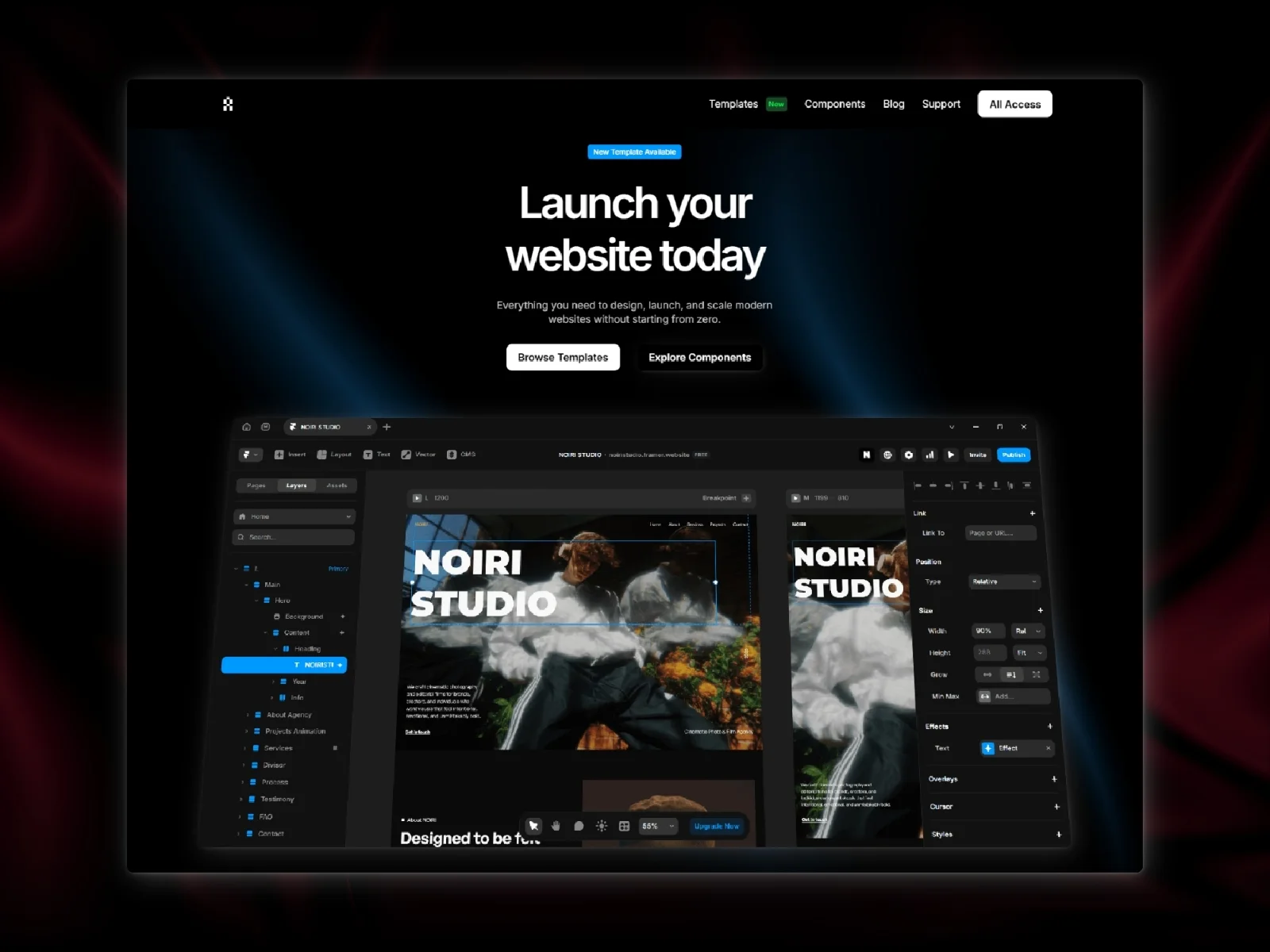
The simplest approach is to connect a button on your Framer website to a hosted checkout page created with a service such as Stripe, Lemon Squeezy, Gumroad, or Polar.
When a visitor clicks the purchase button, they leave the Framer page—or open an external checkout overlay—to complete the transaction through the payment provider. The provider then handles the payment and, depending on the service, may also manage invoices, taxes, subscriptions, or digital product delivery.
This approach works particularly well for:
Digital products and downloads;
Courses, memberships, and subscriptions;
Services and consultation packages;
Event tickets;
Donations;
Websites selling only one or a few products.
It is generally the fastest and least expensive option because it does not require a complete shopping cart or product management system. You can create the marketing experience in Framer and add a purchase link to any button or product card.
The main limitation is that it does not behave like a traditional online store. Customers may not be able to add several products to one cart, compare variants, view live stock, or manage an account. The checkout experience may also look and feel separate from the Framer website.
Option 2: Add a Stripe or Embedded Checkout Integration
If payment links feel too disconnected, a checkout integration can provide a more cohesive experience. Framer plugins such as StripeKit can connect products created in Stripe to reusable components inside the Framer canvas.
Depending on the integration, you may be able to display live prices, support one-time and recurring payments, and open a secure checkout without manually creating a separate link for every product.
This is a useful middle ground for businesses that need more than a basic purchase button but do not require the complete operational infrastructure of Shopify.
It can be suitable for:
Small digital product catalogs;
Subscription-based services;
Software and SaaS plans;
Paid communities;
Simple physical products without complex inventory requirements.
The exact functionality depends on the provider. Before choosing an integration, check whether it supports product variants, taxes, shipping, discount codes, subscriptions, refunds, and the countries in which you operate. A visually embedded checkout does not necessarily include all the features of a complete ecommerce platform.
Option 3: Use Framer CMS with an Ecommerce Plugin
Another option is to manage the storefront catalog through Framer CMS and use a third-party plugin to add cart and checkout functionality.
Products can be stored as CMS items, with fields for information such as the name, description, price, images, category, and product identifier. The plugin then connects those items to a cart, payment processor, form, webhook, or external order system.
This approach offers more design freedom because product grids and individual product pages can be built using Framer’s regular CMS and layout tools. It can be a practical solution for a small, carefully managed catalog.
However, the CMS remains a content management system rather than a dedicated inventory database. Product information may need to be updated manually, and features such as real-time stock, order management, customer accounts, shipping rules, and automated tax calculations depend entirely on the plugin and connected services.
There is also an additional maintenance risk. If a store relies heavily on one third-party plugin, changes to that plugin, its pricing, or its support can affect the website’s purchasing experience.
For this reason, a CMS-based setup is generally more appropriate for smaller stores than for businesses with complex or fast-changing operations.
Option 4: Use Framer as a Storefront with Shopify as the Backend
For a more complete ecommerce operation, Framer can be connected to Shopify. In this setup, Framer controls the customer-facing storefront, while Shopify remains responsible for products, variants, inventory, orders, payments, shipping, and checkout.
Several third-party tools now support this workflow. Solutions such as Frammerce, ShopKit, and Framer Commerce provide components and synchronization tools for bringing Shopify product data into Framer.
These are examples rather than universal recommendations. Features, pricing, compatibility, and maintenance can change, so each integration should be evaluated against the store’s specific requirements.
A typical setup works as follows:
Products and operational information are managed in Shopify.
Product data is synchronized with Framer or accessed through Shopify’s Storefront API.
Product grids, galleries, variant selectors, and cart components are designed in Framer.
Customers browse the Framer storefront and complete their purchase through a Shopify-powered checkout.
Orders, payments, inventory, and fulfillment continue to be managed in Shopify.
This approach combines Framer’s visual flexibility with a more established ecommerce backend. Of the Framer-based approaches covered in this guide, it is generally the most suitable for physical stores that require real inventory, product variants, order management, or a larger catalog.
The trade-off is additional complexity and cost. You may need paid plans for Framer, Shopify, and the integration itself. You are also maintaining a website across two platforms, and not every Shopify app or feature will necessarily work with a custom Framer storefront.
Before committing to this setup, confirm which information is synchronized, how frequently it updates, where checkout takes place, and whether the integration supports the Shopify features your store depends on.
Which Approach Should You Choose?
As a general rule:
Choose external payment links when selling one or a few straightforward products or services.
Choose a Stripe or embedded checkout integration for a small catalog that does not require advanced store operations.
Choose a Framer CMS and plugin setup when design flexibility matters and the catalog can be managed relatively manually.
Choose Framer with Shopify or another ecommerce backend when you need a complete storefront supported by proper inventory and order management.
The simplest solution that meets your actual requirements is usually the best one. Adding a full ecommerce backend to a store that only sells one digital product creates unnecessary cost and maintenance. At the same time, trying to manage a complex physical catalog through a lightweight Framer setup can quickly become unreliable.
What Framer Does Particularly Well for Ecommerce
Framer’s main advantage in ecommerce is not the operational infrastructure behind the store. It is the freedom it gives you to design the customer-facing experience.
Traditional ecommerce platforms are often built around predefined themes, product templates, and rigid content structures. These systems make store management easier, but creating a highly distinctive experience can require custom theme development or considerable technical work.
Framer approaches the problem from the opposite direction. You begin with a flexible visual canvas and decide how products, content, and interactions should be presented.
Greater Creative Control
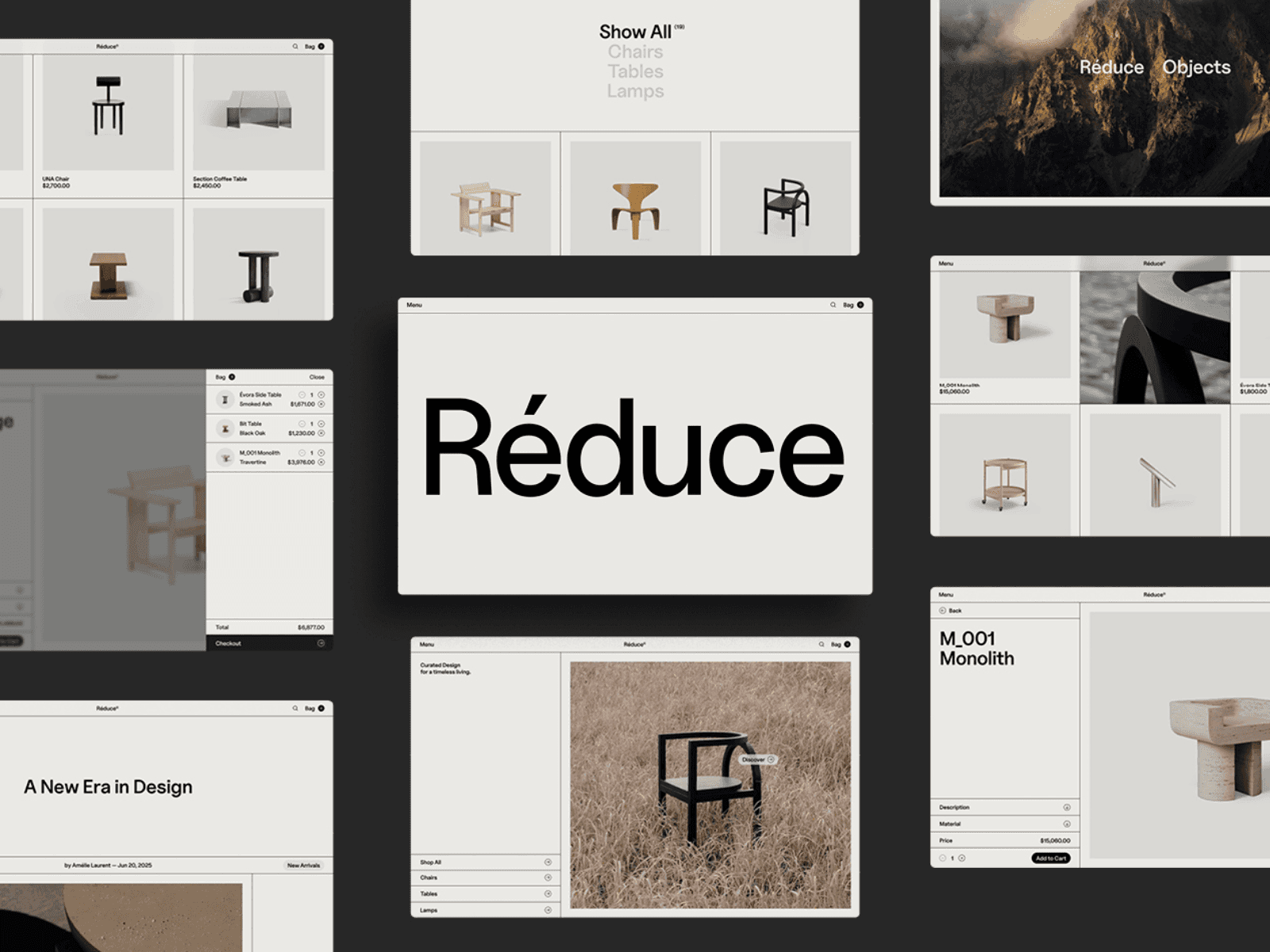
Framer allows designers to create custom layouts without being restricted by a traditional ecommerce theme. Product grids, editorial sections, navigation, product pages, and promotional content can all be designed around the identity of the brand.
This is especially valuable for businesses whose products depend heavily on presentation, including:
Fashion and accessories;
Furniture and interior design;
Beauty and skincare;
Art and photography;
Premium food and beverages;
Technology and lifestyle products.
A conventional product grid may be appropriate for some stores. Others benefit from a more editorial experience that combines products with imagery, video, typography, and brand storytelling.
Stronger Product Storytelling
Not every purchasing decision begins with a product card and a price. Customers may first need to understand the product’s materials, origin, purpose, or relationship to a broader collection.
Framer makes it relatively easy to combine product information with interactive sections, animations, image galleries, video, testimonials, and longer-form editorial content. This can help brands create landing pages that communicate value before presenting the purchase decision.
The same flexibility is useful for product launches, seasonal collections, crowdfunding campaigns, and limited editions, where the page needs to function as both a marketing campaign and a storefront.

A Better Fit for Marketing-Led Stores
Framer is particularly effective when ecommerce is part of a broader marketing website rather than the website’s only purpose.
A company may need a homepage, brand story, journal, campaign pages, product education, lead-generation forms, and a smaller commerce section. Framer can bring these experiences together without making every page feel like part of a conventional online shop.
This makes it a strong option for brands with a curated catalog or businesses where content and presentation play a major role in conversion.
Faster Visual Iteration
Because layouts and components can be edited visually, designers can make changes to product pages and campaigns without rebuilding a traditional theme. New landing pages, promotional sections, and collection experiences can be created using the same design system as the rest of the website.
However, the speed of visual iteration still depends on how the commerce integration has been implemented. Changes to the storefront may be simple, while changes involving product data, checkout behavior, or the backend can require work across multiple tools.
The Main Limitations of Framer Ecommerce
Framer’s design flexibility comes with operational trade-offs. Before choosing it for an online store, you should consider not only whether a particular setup is possible, but also how reliable and maintainable it will be over time.
No Complete Native Commerce Backend
The most important limitation is that Framer does not manage the complete lifecycle of a transaction by itself.
For anything beyond a simple payment link, you will normally depend on an external provider for products, payments, orders, inventory, and fulfillment. This creates more decisions during setup and may make troubleshooting less straightforward.
When something goes wrong, the cause could be the Framer project, the plugin, the payment provider, the commerce backend, or the connection between them.
Additional and Sometimes Overlooked Costs
The total cost of the store may include:
A paid Framer site plan;
A Shopify or alternative ecommerce subscription;
A paid Framer plugin or component package;
Payment processing fees;
Additional apps required by the ecommerce backend;
Ongoing maintenance or development support.
Some plugins use a one-time license, while others charge monthly or impose limits based on products, websites, or features. These costs should be evaluated together rather than comparing only the starting price of each platform.
Dependence on Third-Party Tools
A store built around a plugin becomes dependent on that plugin continuing to work and receive updates.
Framer, Shopify, Stripe, and other connected services can change their APIs or platform requirements. If the plugin developer stops maintaining the integration, the website may eventually require a migration to another solution.
This does not mean third-party plugins should be avoided, but their quality, documentation, support, update history, and business model should be considered before using them for a critical store.
Synchronization and Data Management
When product information exists in both Framer and an external platform, it is important to understand which system is the source of truth.
Prices, inventory, variants, images, and descriptions may update automatically, manually, or only when a synchronization is triggered. An unclear workflow can result in outdated product information or inconsistencies between the storefront and checkout.
For a Shopify-connected store, operational data should generally remain in Shopify, while Framer presents that information to the customer. Duplicating and manually maintaining the same data across both platforms increases the possibility of errors.
Not Every Ecommerce Feature Will Be Available
A plugin may support products, variants, a cart, and checkout without supporting every feature available in the original commerce platform.
Potential limitations can include:
Customer accounts;
Wish lists;
Advanced product filtering;
Subscription management;
Loyalty programs;
Complex discount rules;
Multi-currency and international markets;
Bundles and product personalization;
Third-party Shopify apps;
Returns and post-purchase portals.
The required features should be identified before selecting the integration, not after the storefront has already been designed.
Greater Complexity at Scale
A small catalog can be relatively straightforward to manage. As the number of products, countries, integrations, and operational requirements grows, the connection between Framer and the ecommerce backend becomes more complex.
For a large store, the visual freedom of Framer may not compensate for the additional maintenance and technical dependencies. In those cases, using the ecommerce platform’s own storefront—or investing in a purpose-built headless solution—may provide a more reliable foundation.
Is Framer a Good Choice for Your Online Store?
Framer can be an excellent choice for ecommerce, but only when its role matches the needs of the business.
The decision should not be based entirely on how the initial storefront looks. You should also consider how products will be managed, who will maintain the website, and which commerce features the business may need in the future.
When Framer Is a Good Choice
Framer is most compelling when design, content, and brand presentation are central to the purchasing experience.
It may be a good choice when:
You have a small or carefully curated product catalog;
Your products benefit from strong visual storytelling;
You want a highly customized storefront rather than a conventional theme;
You sell digital products, subscriptions, services, or a limited number of physical products;
The website combines ecommerce with editorial content, campaigns, or lead generation;
Your team already knows how to work with Framer;
You are comfortable connecting and maintaining a third-party commerce solution.
For example, an independent furniture brand with 20 products may benefit considerably from Framer’s creative flexibility. Its customers may want to explore materials, manufacturing details, photography, and the story behind each collection before making a purchase.
The same approach can work for a creator selling digital resources, a skincare brand with a focused product range, or a startup launching one physical product through a detailed campaign page.
In these cases, the website is not simply a database of products. It is part of the product’s perceived value, making Framer’s design capabilities particularly relevant.
When a Traditional Ecommerce Platform Is Better
A dedicated ecommerce platform is generally the safer option when operational requirements are more important than visual flexibility.
Shopify, WooCommerce, Wix Stores, and similar platforms are designed to manage the complete purchasing process. Their storefronts may be less flexible by default, but the operational features are usually more integrated and extensively tested.
A traditional ecommerce platform may be more suitable when:
You have a large or frequently changing catalog;
Inventory is managed across multiple locations;
Customers need accounts, order histories, or saved information;
The store depends on advanced filtering and product search;
You use complex shipping, tax, discount, or pricing rules;
The business operates across several countries and currencies;
You rely on several ecommerce apps or operational integrations;
A non-technical team needs to manage the entire store in one place;
The store processes enough revenue that integration failures would create significant risk.
For these businesses, keeping the storefront and commerce operations within the same established ecosystem can reduce maintenance and make support more straightforward.
A Hybrid Setup May Be the Best Answer
The choice does not always have to be between building everything in Framer and abandoning it entirely.
A business can use Framer for its main marketing website, campaign pages, product launches, and editorial content while maintaining the complete store on Shopify or another ecommerce platform. Visitors move to the dedicated store when they are ready to browse or purchase products.
This setup provides more freedom for brand and marketing pages without introducing a complex headless storefront. It can also be easier to maintain because the actual shopping experience continues to use the commerce platform’s native theme and features.
The disadvantage is that visitors move between two different systems. Careful work may be required to keep the navigation, typography, colors, and overall experience consistent.
For some businesses, this is still a more practical compromise than connecting every part of a full ecommerce store directly to Framer.
Start With the Operational Requirements
Before selecting a platform or template, list the features the store needs from the beginning and those it is likely to need within the next two years.
Consider questions such as:
How many products and variants will the store contain?
Will stock levels change frequently?
Does the business sell physical products, digital products, or both?
Are customer accounts necessary?
Which countries and currencies must be supported?
Will the store require subscriptions, bundles, or personalized products?
Who will update products and process orders?
Which tools need to connect to the store?
What happens if the selected Framer plugin is discontinued?
Once these requirements are clear, it becomes much easier to determine whether Framer should power the entire storefront, serve only as the visual frontend, or remain focused on the marketing side of the website.
How to Choose a Framer Ecommerce Template
A well-designed template can significantly reduce the time required to build an ecommerce storefront. It can provide the page structure, visual system, responsive layouts, and reusable components needed to present products professionally.
However, an ecommerce template and an ecommerce system are not the same thing. Before purchasing or remixing a template, you should understand exactly what is included and which additional tools are required to make the store functional.
Check Whether the Ecommerce Functionality Is Real or Visual
Some Framer templates include a working connection to Shopify, Stripe, or another commerce provider. Others provide only the user interface for product pages, shopping carts, and checkout screens.
A visually complete checkout page does not necessarily process payments. Similarly, a cart component may be a design demonstration rather than a functional cart that stores products and sends them to checkout.
Look for clear information about:
The ecommerce platform or plugin used;
Whether the integration is already configured;
Whether the plugin is included or must be purchased separately;
Where products and inventory are managed;
Where checkout takes place;
Whether the live preview allows you to test the complete purchase flow.
If the template listing does not explain this, contact the creator before purchasing.
Identify the Intended Commerce Setup
The template should match the ecommerce approach you intend to use.
A template designed around Stripe payment buttons may work well for digital products or a small number of offers, but it may not be suitable for a physical store that requires variants and live inventory.
Likewise, a template built for a specific Shopify integration may depend on components or CMS fields provided by that plugin. Replacing the original integration with another system could require rebuilding parts of the template.
Before choosing, confirm whether the template is intended for:
External checkout links;
Stripe or another payment provider;
Framer CMS with a commerce plugin;
Shopify connected to Framer;
A purely visual storefront awaiting a custom integration.
There is nothing inherently wrong with a design-only template. It can still save considerable time if you already know how the commerce functionality will be added. The important point is to understand the distinction before starting the project.
Review the Included Pages and Components
An ecommerce homepage alone is rarely enough to launch a complete store.
Depending on the project, you may also need:
Product listing and collection pages;
Individual product pages;
Product cards and promotional sections;
Variant and quantity selectors;
Cart drawer or cart page;
Checkout transition;
Search and filtering;
About and contact pages;
Shipping, returns, privacy, and terms pages;
Empty, loading, out-of-stock, and error states.
Templates that include reusable product components and consistent CMS structures are usually easier to expand than templates where every product section has been designed manually.
Consider the Size of the Future Catalog
A template may look excellent with six carefully selected products but become difficult to use with 200.
Check how the design handles longer product names, different image proportions, sale prices, multiple categories, unavailable products, and a growing number of CMS items. Navigation and filtering become increasingly important as the catalog expands.
The current product range is only part of the decision. The template should also support the store the business expects to have in the future.
Test the Responsive Experience
Ecommerce templates should be evaluated on mobile as carefully as on desktop. Product discovery, image galleries, variant selection, cart interactions, and checkout calls to action must remain clear on smaller screens.
Use the live preview to test several viewport sizes and, when possible, interact with the website on a real phone. Check whether buttons are easy to reach, text remains readable, product images load correctly, and important information is not hidden behind animations or hover interactions.
Evaluate Customization, Documentation, and Support
A template is only a starting point. Its design system should be flexible enough to accommodate your brand, product photography, catalog structure, and content.
Before choosing, consider:
How colors, typography, and shared components are organized;
Whether product pages use reusable components and CMS fields;
Whether the layers and breakpoints are clearly structured;
Whether setup instructions are included;
Whether the creator explains how to connect the required ecommerce tools;
Whether the template and its integrations are actively maintained;
What type of support is available after purchase.
A cheaper template can become more expensive if significant time is required to understand or rebuild it.
Choose the Template After Choosing the Ecommerce Approach
The commerce requirements should determine the template—not the other way around.
Start by deciding how products, payments, orders, and inventory will be managed. Once that foundation is clear, look for a template that supports the required workflow and provides the visual direction the brand needs.
You can explore curated ecommerce website templates on GYFT and compare different visual approaches. When evaluating any option, review the creator’s documentation and confirm which functionality is included before committing to the template.
For a broader evaluation of design quality, structure, responsiveness, and support, read our guide on how to choose the right Framer template for your business.
Final Verdict: Should You Use Framer for Ecommerce?
Framer can be a strong choice for ecommerce when the storefront’s design, content, and brand experience are important parts of the purchasing decision.
For a digital product, service, subscription, or very small catalog, a payment link or Stripe integration may provide all the functionality you need. For a curated physical store, a Framer plugin can create a more complete shopping experience. When inventory, variants, and order management become essential, using Framer as the storefront with Shopify or another dedicated commerce backend is usually the more reliable approach.
However, Framer should not be selected simply because it is technically possible to add ecommerce functionality. Every additional plugin and platform introduces costs, dependencies, and maintenance responsibilities.
For stores with large catalogs, complex operations, extensive customer account features, or a heavy reliance on ecommerce apps, building directly within an established commerce platform will often be simpler and more dependable.
The most important question is therefore not whether Framer can be used for ecommerce. It is whether Framer’s creative freedom provides enough value to justify the additional infrastructure required by your specific store.
If the answer is yes—and the commerce setup is selected before the website is designed—Framer can provide an ecommerce experience that feels considerably more distinctive than a conventional store template.
Does Framer have built-in ecommerce?
Framer does not have a complete native ecommerce system. It can design and publish the storefront, manage product content through its CMS, and connect to external tools, but payments, inventory, orders, shipping, and other commerce operations normally require a third-party service or plugin.
Can you connect Shopify to Framer?
Can you accept payments on a Framer website?
Is Framer suitable for a large online store?
Do Framer ecommerce templates include a working checkout?
Is Framer better than Shopify for ecommerce?
Can you sell digital products with Framer?


Try Systeme.io
Your website is only the beginning.
Take your Framer site further with funnels, email marketing, automation, bookings and more.


AFFILIATE PARTNER