10 min read
10 Framer features that will actually improve your workflow
Framer is packed with features that can dramatically improve your workflow—but many designers only scratch the surface. In this guide, we'll explore 10 powerful Framer features that can help you design faster, build more scalable websites, and get more out of every project.
Introduction
One of the reasons Framer has become so popular is that it manages to stay approachable while offering an impressive set of powerful features.
You can build and publish a website without touching half of what's available in the editor—and that's perfectly fine.
But as your projects become larger and more complex, the way you use Framer starts to matter just as much as the design itself.
Features like Variables, Component Properties, and CMS References don't simply add functionality; they fundamentally change how quickly you can build, edit, and maintain websites.
The challenge is that many of these features aren't immediately obvious.
Some are hidden behind a single toggle. Others only become useful once you've worked on several projects. And a few are so simple that they're often overlooked entirely.
In this guide, we'll look at ten Framer features that every designer should know—not because they're new or flashy, but because they can genuinely improve the way you work.
1. Variables
If there's one feature that can completely change the way you build websites in Framer, it's Variables.
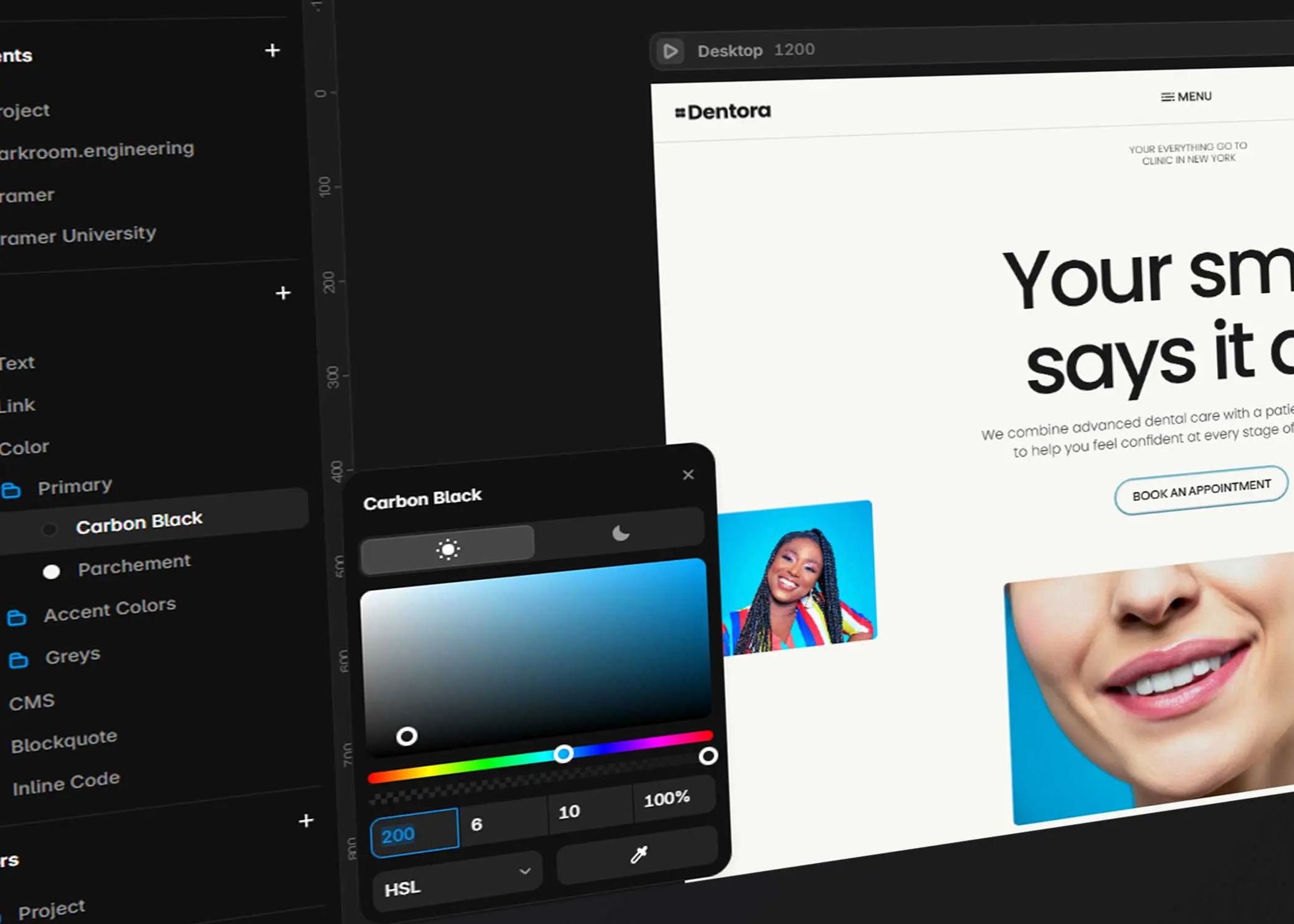
Variables allow you to define colours, typography, spacing, border radius, shadows, and other design values in one place, then reuse them throughout your project.
Instead of manually updating dozens of buttons after changing your primary colour, you update a single variable and the entire website changes automatically.
The same principle applies to typography.
Need to increase every H2 heading from 40px to 44px?
One update.
Every page follows.
Variables become even more valuable as projects grow.
A landing page with five sections may not benefit much, but a website with twenty pages, multiple CMS collections, and reusable components quickly becomes difficult to maintain without them.
The biggest mistake is introducing Variables halfway through a project.
Whenever possible, define your design system before creating your first section.
Future you will be grateful.
Pro Tip: Spend five minutes setting up Variables before designing your homepage. You'll save hours later.
2. Component Properties
Many designers discover Components early.
Far fewer take advantage of Component Properties.
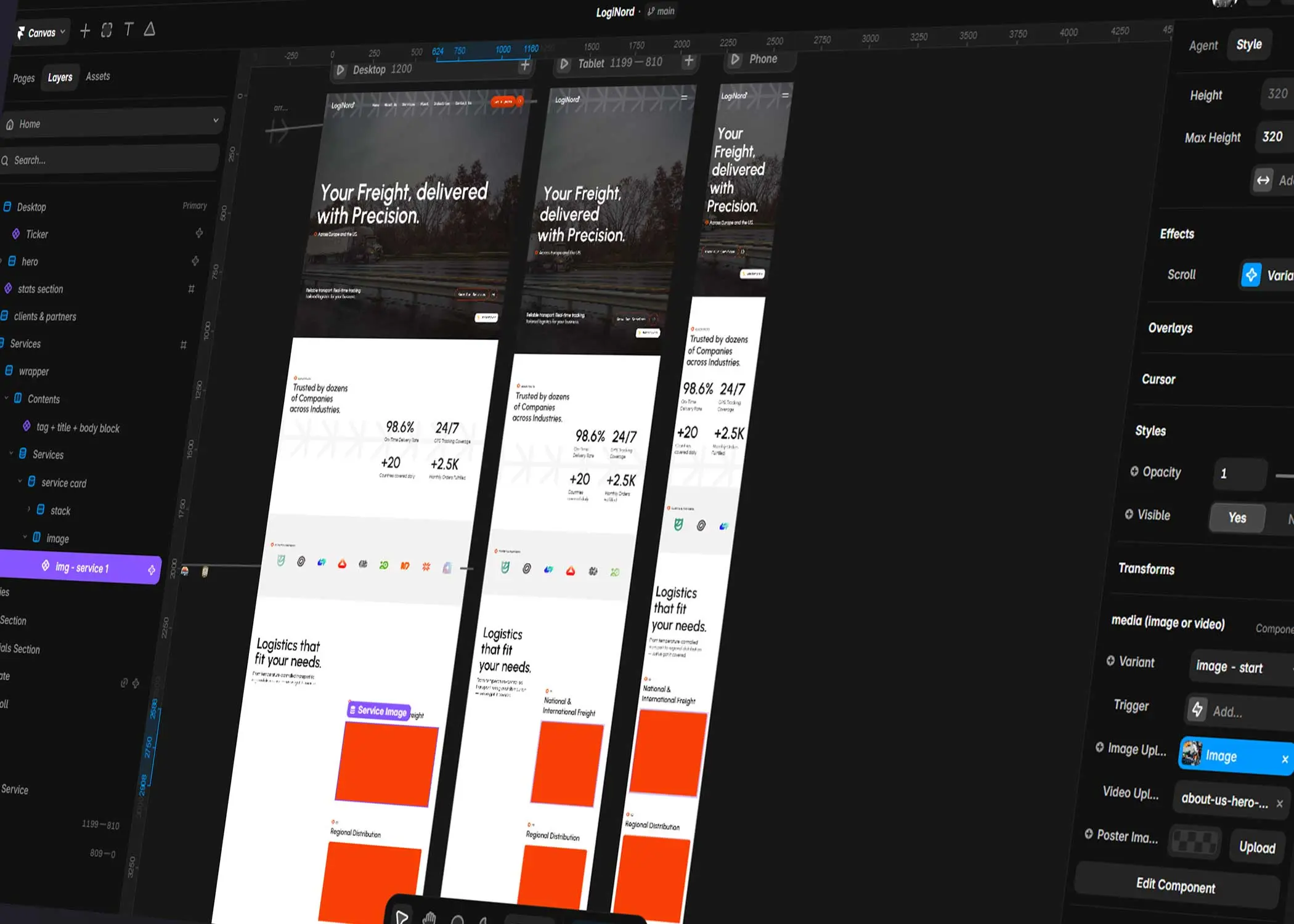
Component Properties allow you to create flexible components that can be customised without creating endless Variants.
For example, imagine you've built a reusable CTA section.
Instead of creating separate versions for every page, you can expose properties for:
Heading
Description
Button text
Button link
Background image
Theme
Every instance becomes unique while still using the same underlying component.
The result is a cleaner project that's easier to update and significantly more scalable.
As a general rule, if you're creating multiple Variants simply to change text or images, Component Properties are probably the better solution.
Good to Know: Use Variants for different states (hover, active, dark mode). Use Component Properties for different content.
3. CMS References
Most people think of the CMS as a place to store blog posts.
In reality, it's much more powerful than that.
References and Multi-References allow collections to connect with one another.
For example:
Team Members → Departments
Blog Posts → Categories
Projects → Services
Testimonials → Case Studies
Instead of duplicating information across multiple collections, you build relationships between them.
This creates cleaner content structures, reduces maintenance, and opens the door to far more dynamic websites.
If you've ever manually updated the same piece of information in several places, References are probably the feature you were missing.
Common Mistake
Many beginners create one huge CMS collection containing every field imaginable.
Smaller, connected collections are almost always easier to manage in the long term.
4. Scroll Sections
One of Framer's biggest strengths is how naturally it handles scroll-based experiences.
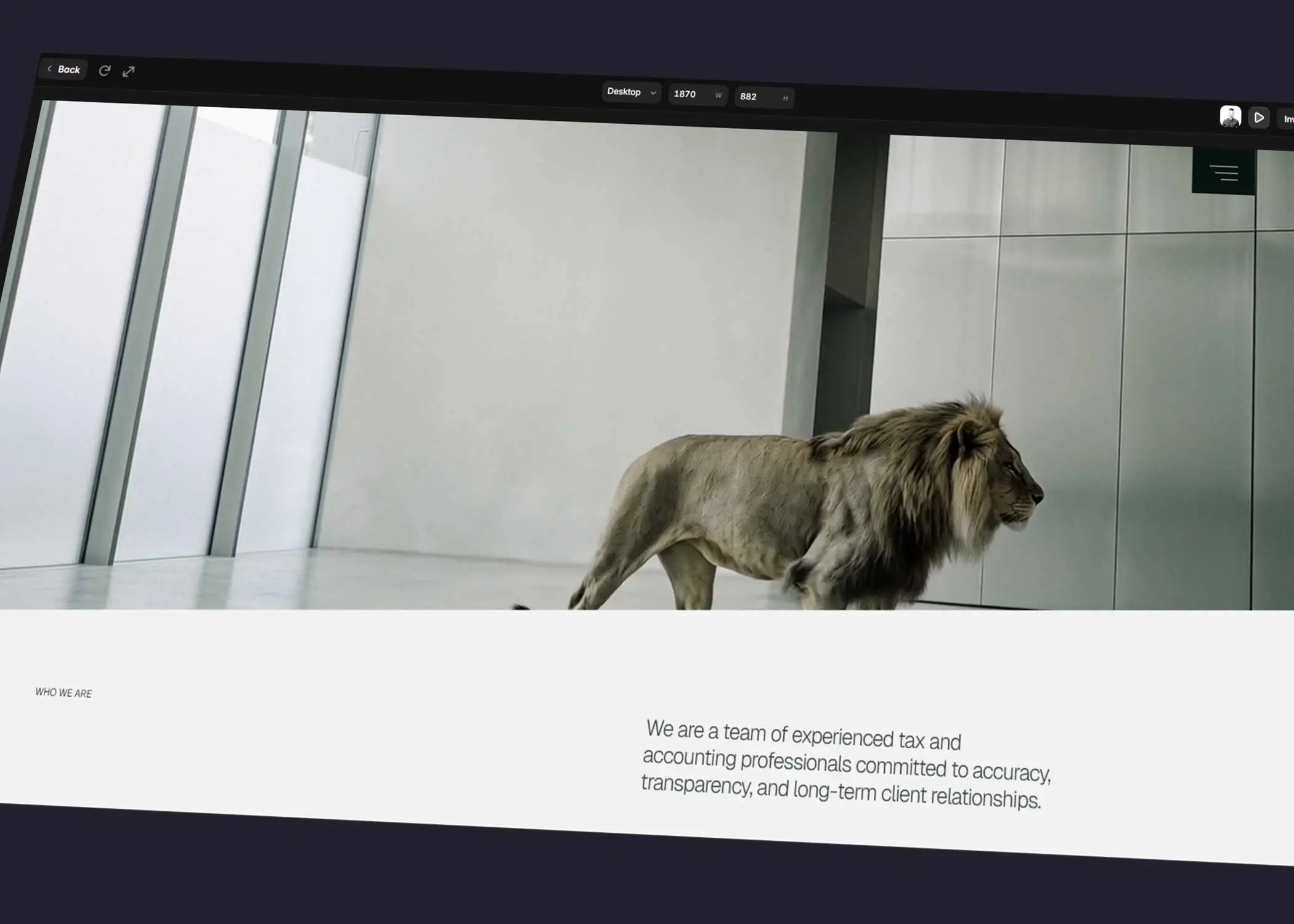
With Scroll Sections, you can create layouts where content stays pinned while other elements move, reveal, or transition as users scroll.
This makes it possible to build storytelling experiences that feel polished without relying on complex code or external animation libraries.
When used well, Scroll Sections can:
Highlight product features
Present step-by-step processes
Showcase portfolios
Create immersive landing pages
The key is restraint.
Just because an entire section can animate doesn't mean it should.
Scroll-based interactions should guide attention—not distract from the content.
If visitors notice the animation more than the message, it's probably doing too much.
Pro Tip: Reserve Scroll Sections for moments you want users to remember. Overusing them reduces their impact.
5. Stagger Animations
Good animation rarely comes from making everything move at once.
Stagger Animations solve this by introducing small delays between elements, creating interfaces that feel smoother and easier to follow.
Instead of revealing six cards simultaneously, each card appears a fraction of a second after the previous one.
The result feels more natural and directs the user's attention through the content.
This technique works particularly well for:
Feature grids
Team sections
Pricing cards
Testimonials
Blog lists
The effect is subtle, but it makes a noticeable difference to the perceived quality of a website.
Like most animation techniques, less is often more.
A delay of 50–100 milliseconds is usually enough.
Common Mistake
Long stagger delays can make websites feel slow rather than polished. Keep animations short enough that they support the experience instead of delaying it.
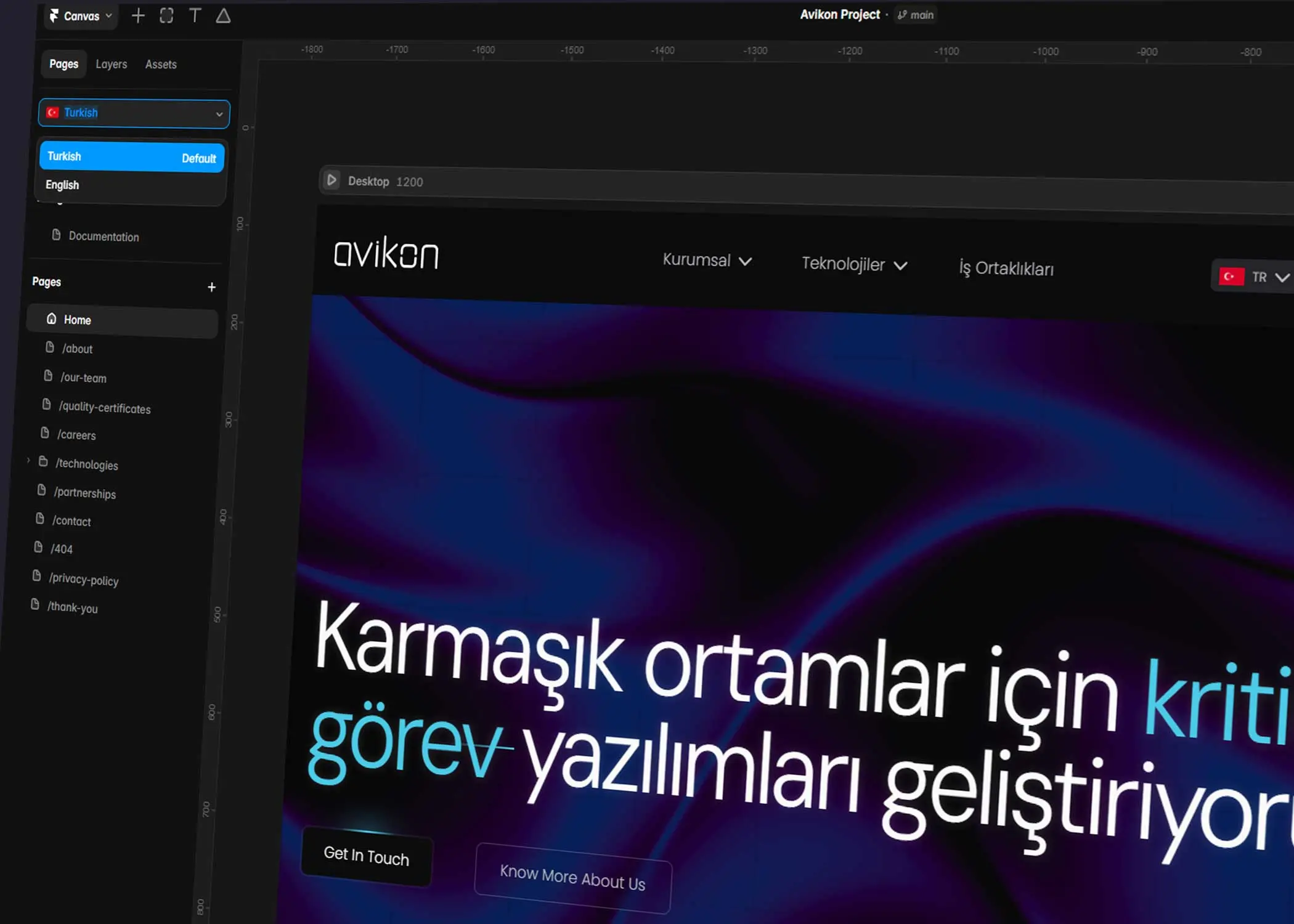
6. Localization
Designing a beautiful website is only part of the challenge.
If your audience speaks multiple languages, maintaining separate versions of the same website can quickly become difficult.
Framer's Localization feature allows you to manage multilingual websites from a single project.
Instead of duplicating pages, you can translate content, adapt navigation, localise metadata, and maintain multiple languages while keeping the design consistent.
For businesses expanding internationally, this can dramatically simplify content management.
Localization isn't only about translating text.
Different markets often require different imagery, currencies, calls to action, or cultural references.
Managing everything from one project makes those updates significantly easier.
If there's any chance your website will become multilingual in the future, it's worth considering Localization early rather than trying to retrofit it later.
Good to Know: Planning for localization during the design phase is much easier than restructuring an entire website after launch.
7. Plugins
Plugins may not receive as much attention as other features, but they can save an incredible amount of time.
Whether you're importing icons, generating placeholder content, checking accessibility, or connecting external services, plugins help automate repetitive tasks and extend Framer's capabilities.
Some of the most useful plugin categories include:
Icons
Illustrations
Stock photography
AI tools
Accessibility
Content generation
Productivity
The best plugins aren't necessarily the most advanced.
They're the ones that eliminate repetitive work from your daily workflow.
If you find yourself performing the same manual task across multiple projects, there's a good chance a plugin already exists to simplify it.
Pro Tip: Keep your plugin list short. A handful of reliable plugins you'll use every week is far more valuable than dozens you'll rarely open.
8. Publish Drafts & Version History
Every designer eventually publishes something by mistake.
It happens.
That's why Publish Drafts and Version History become increasingly valuable as projects grow.
Instead of worrying about every change going live immediately, you can prepare updates, review them, and publish when you're ready.
Version History provides an additional safety net.
Whether you've accidentally deleted a section, broken a layout, or simply want to compare previous iterations, being able to restore earlier versions can save hours of unnecessary work.
These features rarely receive much attention when people first learn Framer.
Ironically, they're often the ones designers appreciate the most after working on client projects.
A good workflow isn't just about building quickly.
It's also about recovering quickly when something goes wrong.
Designer Insight: Professional workflows aren't defined by never making mistakes. They're defined by making mistakes that are easy to recover from.
9. Fetch
One of Framer's most underrated capabilities is its ability to fetch data from external APIs.
While many designers associate Framer with marketing websites, Fetch opens the door to far more dynamic experiences.
Instead of manually updating content, you can display information directly from external services.
For example, you could build:
Job boards that display live vacancies
Product directories
Event listings
Team pages synced with external data
Company dashboards
Internal tools
Community websites
The biggest advantage isn't simply automation.
It's reducing manual work.
Whenever content already exists somewhere else, Fetch allows your website to become a window into that data rather than another place you need to maintain.
That said, it's worth asking whether you actually need live data.
For many marketing websites, Framer's CMS is still the simpler and more appropriate solution.
Use Fetch when external data genuinely improves the experience—not simply because it's possible.
Good to Know: If you're building a typical marketing website, CMS collections will usually be easier to maintain than external APIs. Fetch becomes most valuable when your content already lives somewhere else.
10. AI Tools
Artificial intelligence is becoming part of almost every design workflow, and Framer is no exception.
Rather than trying to replace designers, Framer's AI features are best viewed as productivity tools.
They can help generate placeholder content, rewrite copy, translate websites, and accelerate repetitive tasks that would otherwise interrupt your workflow.
The real value isn't in publishing AI-generated content unchanged.
It's in reducing the time spent on repetitive work so you can focus on design, strategy, and user experience.
For example, AI can help you:
Generate initial page copy
Rewrite headlines
Create placeholder content
Translate websites into multiple languages
Brainstorm section ideas
Speed up early design exploration
Used thoughtfully, these tools can significantly reduce the time it takes to move from a blank canvas to a working first draft.
Like every AI tool, however, human judgement remains essential.
Your brand voice, messaging, and content strategy should always come from people—not prompts.
Think of AI as a collaborator rather than a replacement.
Designer Insight: The biggest productivity gain doesn't come from letting AI design your website. It comes from letting AI handle repetitive tasks while you focus on solving real design problems.
Final Thoughts
Framer is often praised for how easy it is to build beautiful websites.
What makes it truly powerful, however, isn't any single feature—it's how those features work together.
Variables create consistency.
Component Properties reduce repetition.
CMS References improve scalability.
Scroll Sections and Stagger Animations make interfaces feel more polished.
Localization simplifies multilingual projects.
Fetch connects your website to external data.
AI helps eliminate repetitive work.
Individually, each feature saves a little time.
Together, they completely change the way you build websites.
Perhaps the biggest lesson is this:
Learning Framer isn't about discovering every feature.
It's about understanding which features solve the problems you encounter most often.
The sooner you build those into your workflow, the faster—and more confidently—you'll design every website that follows.
Key Takeaways
Variables are the foundation of a scalable design system.
Component Properties reduce the need for unnecessary Variants.
CMS References make dynamic websites easier to maintain.
Scroll Sections and Stagger Animations should support content—not distract from it.
Localization makes managing multilingual websites far simpler.
Plugins eliminate repetitive tasks and improve productivity.
Version History protects your work and encourages experimentation.
Fetch allows Framer to display live data from external sources.
AI tools are most valuable when they accelerate your workflow, not replace your creativity.
The best Framer users aren't the ones who know every feature—they're the ones who know when to use each one.

Try Systeme.io
Your website is only the beginning.
Take your Framer site further with funnels, email marketing, automation, bookings and more.


AFFILIATE PARTNER