36 min read
10 Best Website Templates for Startups (2026)
Launching a startup website is rarely just a design exercise. The site may need to explain an unfamiliar product, build trust in a company that has little brand recognition, attract early users, support a funding conversation, or give a sales team somewhere credible to send prospective customers.
A website template can shorten that process considerably, but only if its structure matches what the startup actually needs. A polished SaaS homepage may be useful for launching an MVP, yet too limited for a growing product with integrations, case studies, documentation, and several pricing plans. Conversely, a 30-page template may create unnecessary work for a founder who only needs to validate an idea.
The platform matters too. Framer is particularly well suited to fast, design-led marketing websites. Webflow offers more structured options for larger content and CMS systems. WordPress provides extensive flexibility, but generally requires more setup and ongoing maintenance.
For this guide, we selected ten startup website templates across Framer, Webflow, and WordPress. Rather than ranking them by appearance alone, each recommendation addresses a different stage, business model, or operational need—from validating an MVP and launching a mobile app to building a content-rich SaaS website.
The best startup website templates at a glance
Template | Best for | Platform | Price |
|---|---|---|---|
Fiidbakk | Validating an MVP | Framer | $49 |
Echo Agent | Free B2B SaaS website | Framer | Free |
Lumis | AI SaaS | Framer | $129 |
PAYE | Payroll, HR, and fintech SaaS | Framer | $79 |
AppNext | Mobile apps | Framer | $99 |
Quantrex | Climate-tech and clean-energy startups | Framer | $129 |
Aero | Service-based AI startups | Framer | $110 |
Deploya | Growing SaaS startups | Webflow | $169 |
WriteLatte | SaaS products with extensive support content | Webflow | $79 |
SaasLauncher | WordPress flexibility and self-hosting | WordPress | Free, with paid upgrades |
Prices and availability were checked during our research but may change. Template pricing also does not include platform subscriptions, hosting, domains, paid plugins, or any additional customization a startup may require.
How we selected these templates
A good startup template should do more than provide a modern homepage. It should make the product easier to understand, support the company’s immediate goals, and offer a realistic foundation for the content the team can maintain.
We evaluated the templates in this guide using the following criteria:
Product communication: Does the structure help visitors understand what the startup offers, who it is for, and why it matters?
Useful pages and sections: Does it include relevant features such as pricing, integrations, case studies, product demonstrations, a blog, a changelog, or a help center?
Suitability for a specific stage or business model: Is it appropriate for an MVP, a mobile app, a sales-led SaaS product, a service-based technology company, or a more established startup?
Customization: Can founders or marketing teams adapt the typography, colors, layouts, components, and content without rebuilding the entire website?
Capacity to grow: Can the website accommodate new articles, integrations, use cases, team members, customer stories, or product updates?
Trust and conversion: Does it provide meaningful ways to establish credibility and guide visitors toward a signup, trial, demo, download, or enquiry?
Design quality: Is the visual system coherent and distinctive without depending entirely on short-lived trends?
Value: Does the price make sense for the quality, depth, and amount of work the template can realistically replace?
The final selection is not ordered from best to worst. A compact template for validating an MVP and a 22-page website for a growing SaaS company solve very different problems, so an absolute ranking would be misleading.
We also did not limit the selection to templates listed on GYFT. Some recommendations are available through GYFT, while others come directly from the Framer and Webflow marketplaces or the WordPress theme directory. Each was included because it serves a clear purpose within the selection.
1. Fiidbakk — best for validating an MVP
Platform: Framer
Price: $49
Created by: Tanel Sepp
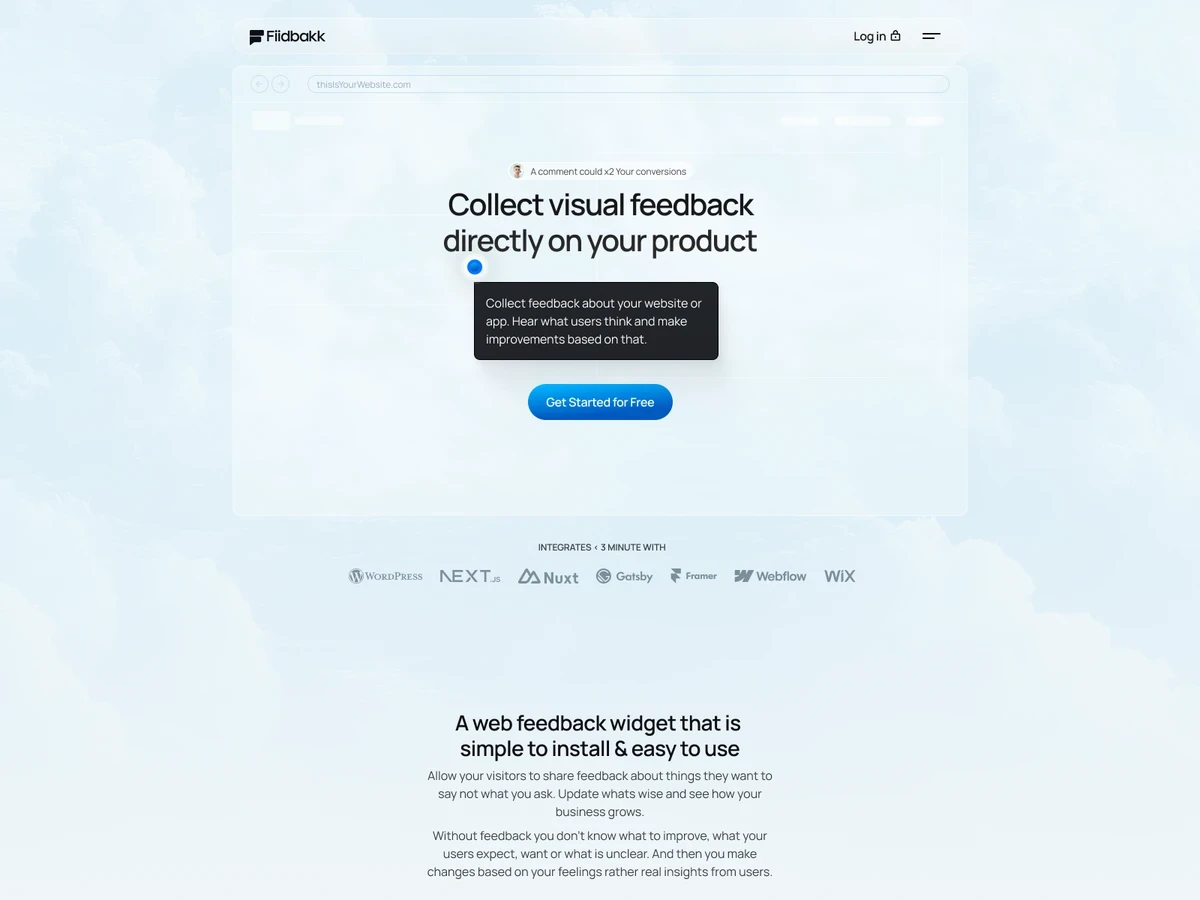
Fiidbakk is designed for the stage at which a startup needs to communicate an idea clearly, begin collecting feedback, and convert early interest without first building an extensive marketing website.
Its deliberately compact structure includes a product landing page, CMS-powered journal, public roadmap, contact page, and essential legal pages. The homepage provides space for product screenshots, features, pricing, testimonials, and calls to action, covering the core information most early-stage products need.
The public roadmap is particularly useful. It gives founders a structured way to show what has shipped, what is being developed, and where the product may go next. For startups building openly or involving early users in product development, this can make the website feel like part of the product journey rather than a static launch page.
Fiidbakk is based on the creator’s experience building and refining the website for his own SaaS startup. The creator reports that an earlier version achieved a visitor-to-signup conversion rate above 10%, although this result has not been independently verified and will not necessarily transfer to a different product, audience, or source of traffic.
Best suited for
Fiidbakk is a good fit for:
MVPs and pre-seed startups;
Product Hunt launches;
Developer tools;
Founder-led B2B software;
AI products in early validation;
Startups building in public.
What to consider
The focused structure is an advantage during validation, but it may become restrictive once a startup needs detailed use cases, integrations, customer stories, documentation, or several product pages. Founders should treat it as a strong launch foundation rather than assume it will cover every stage of the company’s growth.
Its restrained visual system also depends heavily on good product screenshots and concise copy. Replacing the demo content with vague claims or unfinished interface images would reduce much of the template’s clarity.
2. Echo Agent — best free template for B2B SaaS
Platform: Framer
Price: Free
Created by: Sanna Granqvist
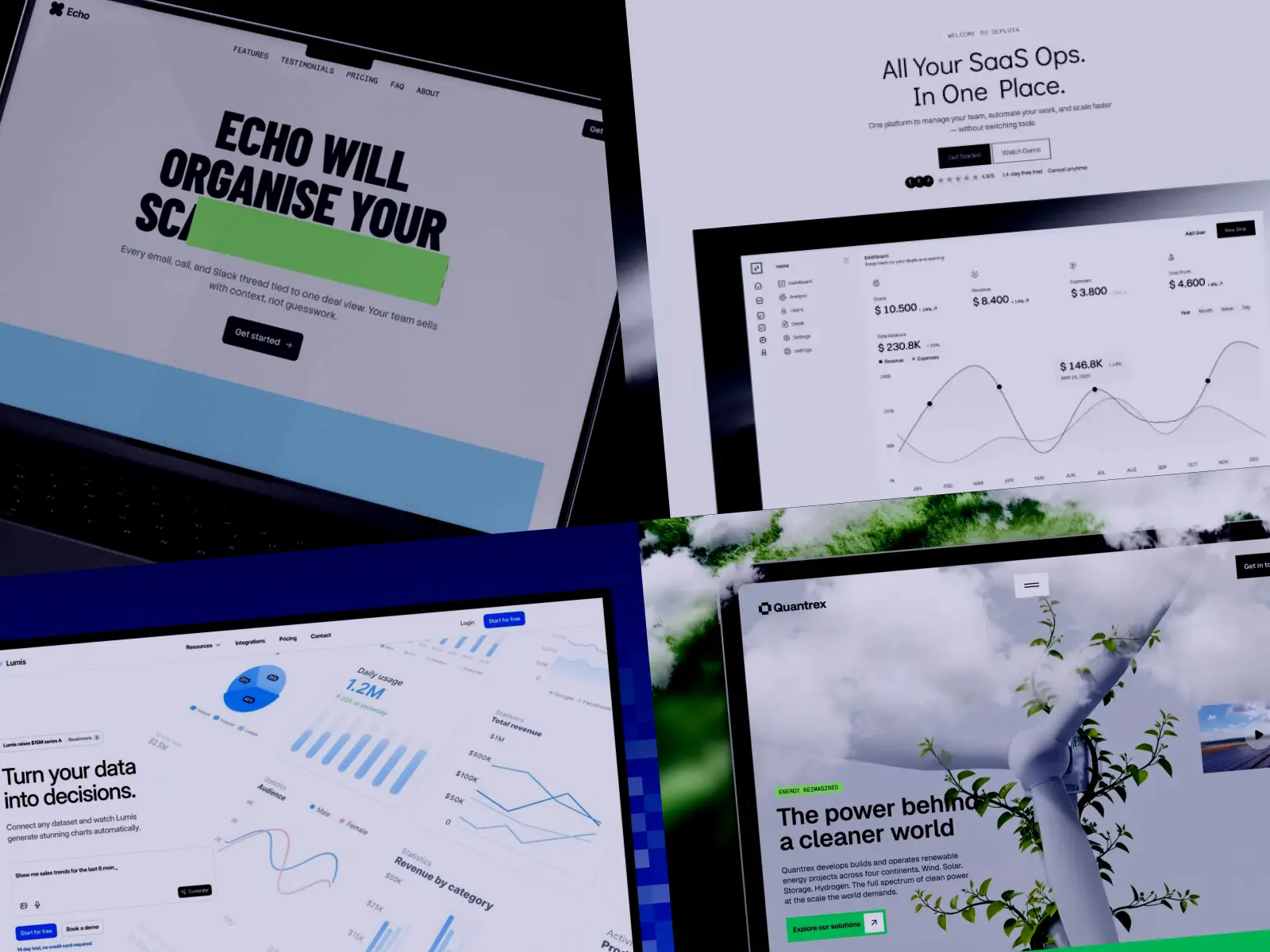
Echo Agent is a free Framer template created for B2B software, particularly sales, revenue, pipeline, and CRM products. Its structure is compact, but the homepage covers considerably more ground than its four-page count might suggest.
A scroll-led product walkthrough provides space to explain features alongside interface images. This is followed by customer testimonials, animated statistics, a two-tier pricing section for Pro and Enterprise plans, an FAQ, a newsletter signup, and a clear route to the Get Started form. An About page with a six-person team grid gives early companies another way to establish credibility.
The template includes 19 reusable components and seven custom code components. These power interactions such as animated counters, text reveals, draggable image sliders, an AI chat widget, and the physics-based footer animation. The components add personality, although a startup does not need to retain every effect. Removing animations that do not support the product story may result in a more focused website.
Echo Agent also avoids the dark interfaces and blue-purple gradients that dominate many SaaS templates. Condensed display typography, geometric patterns, and a restrained but varied color system give it a recognizable identity without preventing broader B2B use.
Best suited for
Echo Agent is particularly suitable for:
CRM products;
Sales and pipeline tools;
Revenue operations software;
B2B SaaS in an early launch phase;
Startups that need pricing and product explanation on a limited budget.
What to consider
The main limitation is depth. Echo Agent does not provide a complete integration directory, case study system, extensive blog structure, or multiple feature pages. A growing startup may need to add these later.
Its visual identity is also relatively strong for a template. Founders should customize more than the logo and accent color if they want the finished website to feel proprietary. The free price makes it an excellent starting point, but it does not remove the need for thoughtful copy, product imagery, and brand adaptation.
3. Lumis — best for AI SaaS
Platform: Framer
Price: $129
Created by: Joseph Alexander
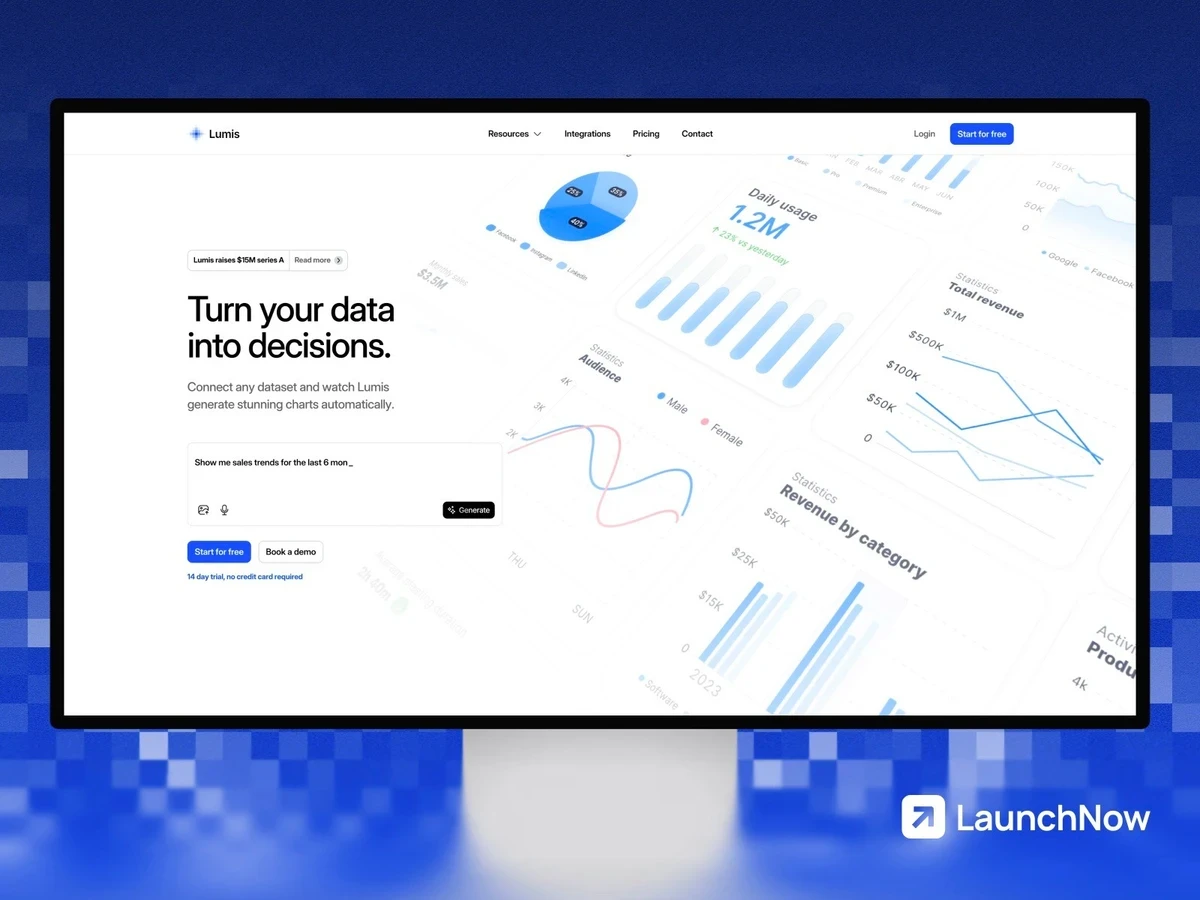
Lumis is one of the most complete templates in this selection. It is built specifically for AI SaaS companies that need to explain a product while addressing concerns around security, privacy, compliance, accuracy, and trust.
The page set includes a homepage, pricing, integrations, case studies, blog, changelog, team, and legal content. Eight CMS collections support the underlying content system, while site search makes a larger collection of articles and resources easier to navigate.
What separates Lumis from a general SaaS template is its treatment of AI-specific objections. Pre-built trust sections provide room for security badges, compliance information, data practices, and transparency messaging. These elements can be especially valuable for products selling to companies that need to understand how information is processed before beginning a trial or booking a demonstration.
The template also supports a more mature content strategy. Case studies can demonstrate how the product performs in practice, integrations can show how it fits within an existing technology stack, and the changelog creates a visible record of continued product development.
Interactive elements include an animated hero, typing effects, changelog notifications, and scroll-based transitions. These can reinforce the sense of an active technology product, provided they do not distract from the product interface or slow down the path to a signup.
Best suited for
Lumis is a strong choice for:
AI automation platforms;
Machine-learning products;
Business intelligence software;
Predictive analytics tools;
AI content products;
B2B AI platforms with security or compliance requirements.
What to consider
Lumis may be more website than an early product needs. A founder who has no case studies, integrations, changelog, security documentation, or content strategy may spend time filling pages that do not yet support the business.
Its positioning is also clearly associated with AI. Although the layout could be adapted to other SaaS categories, doing so would require more copy and visual changes than choosing a general-purpose template.
The strongest reason to choose Lumis is not its visual effects. It is the combination of product marketing, scalable content, and trust-building architecture. Startups should therefore evaluate whether they can supply credible information for those sections before purchasing it.
4. PAYE — best for payroll, HR, and fintech SaaS startups
Platform: Framer
Price: $79
Created by: Raffaele Parlato
PAYE is designed for SaaS startups operating in categories where clarity and credibility matter as much as visual appeal. Its combination of product pages, pricing, case studies, company information, and editorial content makes it particularly relevant to payroll, HR, fintech, and other B2B products that need to explain complex services without overwhelming prospective customers.
The template includes 18 pages and three CMS collections covering the blog, case studies, and team members. This gives a startup enough structure to move beyond a simple landing page and build a more complete marketing site. Product benefits can be separated from company information, customer stories can support sales conversations, and the blog can accommodate educational or search-driven content as the business grows.
A dedicated brand guidelines page is another notable inclusion. Most startups will not publish this page immediately, but it can become useful when working with partners, press, investors, or external teams that need access to approved logos, colors, and brand assets.
PAYE’s visual direction feels polished and established, which can help an early-stage company appear more credible. However, that same character means the template is best suited to startups prepared to replace the default messaging and imagery with detailed, product-specific content. Without thoughtful customization, it may feel more like a well-designed financial services concept than a distinctive startup brand.
Best suited for
Payroll and employee management platforms
HR technology startups
Fintech and financial operations software
B2B SaaS companies that rely on case studies and educational content
Startups that need a credible, multi-page website from launch
What to consider
PAYE provides considerably more structure than a basic startup landing page, but not every early-stage company will need all 18 pages. Teams validating an initial idea may find a smaller template faster to launch.
Its industry-oriented design is an advantage for payroll, HR, and fintech products, but startups in unrelated categories may need more extensive visual customization. As with any Framer template, the purchase price does not include the Framer site plan required to publish the finished website.
5. AppNext — best for mobile app startups
Platform: Framer
Price: $99
Created by: Naveed Shah
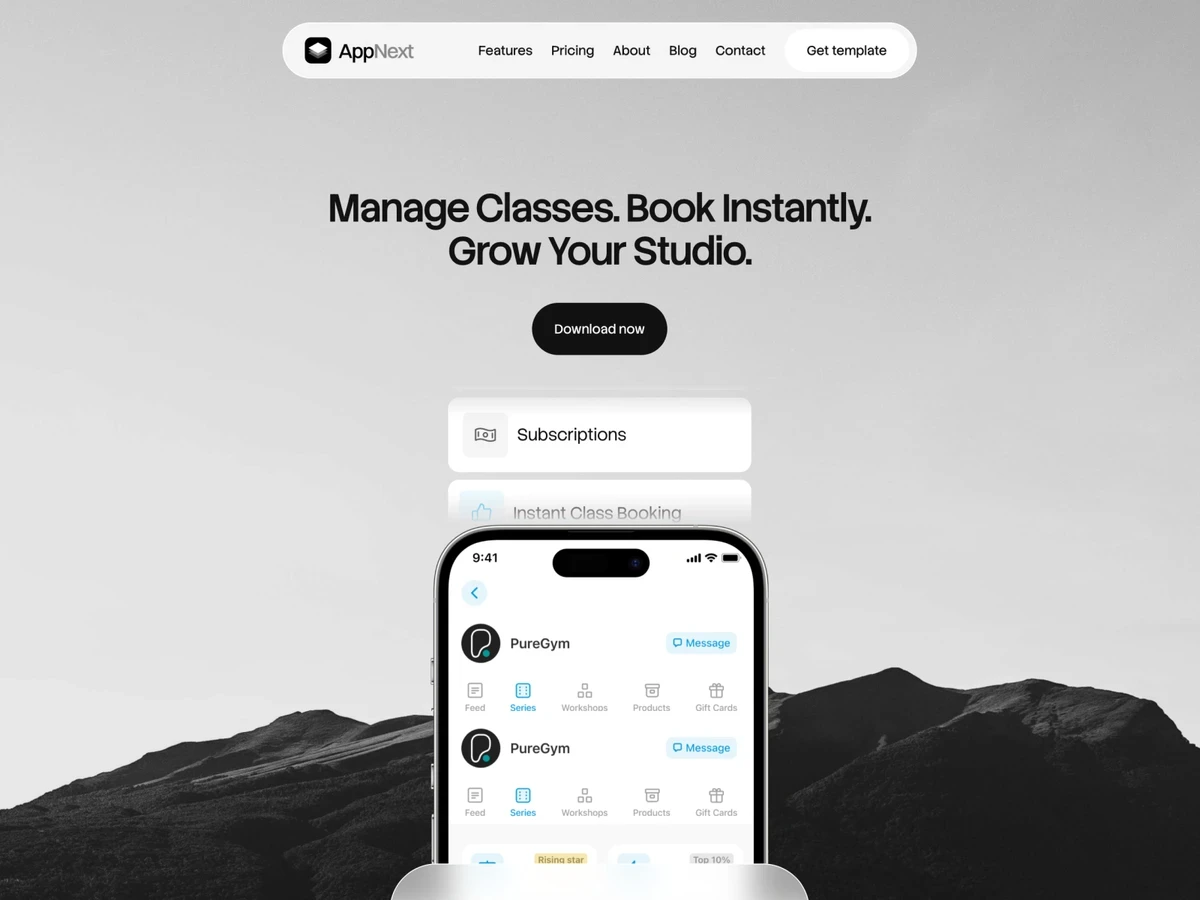
AppNext is a versatile option for startups promoting a mobile app or digital product. It includes more than eight pages and over 25 reusable modules, giving founders enough flexibility to create a focused launch site or expand it into a broader marketing presence.
The template covers several important parts of an app website, including product presentation, pricing, company information, contact details, a blog, legal pages, and a custom 404 page. Its modular structure is especially useful for startups whose product story is likely to evolve. Sections can be rearranged or removed without forcing the team to redesign the entire site around every new feature or positioning change.
AppNext can accommodate iOS and Android products as well as AI tools and browser-based applications. Still, its strongest use case is a product that benefits from interface previews, feature explanations, and prominent download or sign-up calls to action. The layout gives teams multiple opportunities to show how the product works rather than relying exclusively on abstract benefit statements.
Compared with more narrowly positioned templates, AppNext is relatively neutral. That makes it adaptable across different app categories, but it also puts more responsibility on the startup to create a recognizable brand. Product screenshots, original copy, and a considered visual system will make a substantial difference to the final result.
Best suited for
iOS and Android app startups
Consumer and productivity apps
AI applications with a visual product experience
Startups that need both launch pages and ongoing blog content
Teams looking for reusable sections as their website evolves
What to consider
AppNext is broader than a highly specialized SaaS template. This flexibility is useful when the product does not fit a narrow category, but the default presentation may require more customization to communicate a distinctive market position.
The template can market an app, collect leads, or direct visitors to an app store, but it does not build the application itself. Any working account system, product dashboard, subscription flow, or app functionality must be implemented separately.
6. Quantrex — best for climate-tech and clean energy startups
Platform: Framer
Price: $129
Created by: ShapeForm
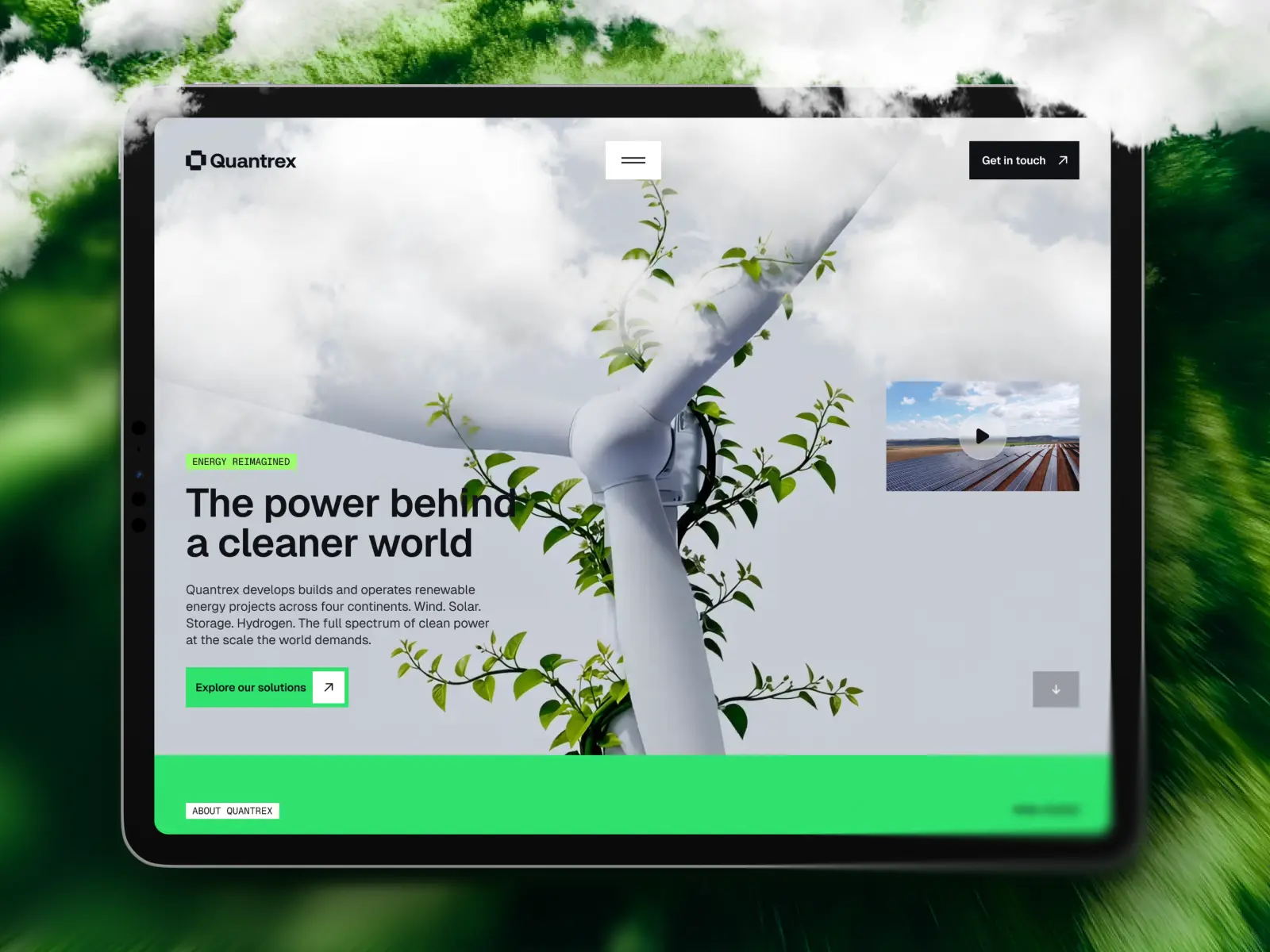
Quantrex is one of the most specialized templates in this selection. Built around technology, sustainability, and infrastructure, it gives climate-tech and clean energy startups a stronger starting point than a general SaaS layout adapted with environmental imagery.
The template includes 12 pages covering technology, solutions, sustainability, projects, news, team information, and other company content. CMS collections support projects, news, team members, and legal pages, making it suitable for businesses that need to publish updates and demonstrate progress over time.
That structure reflects how many climate-tech companies communicate. The website may need to explain proprietary technology, document real-world projects, support investor or press enquiries, and establish credibility with customers, regulators, or industry partners. Quantrex creates space for each of these audiences without forcing all the information into a single long landing page.
Its project and sustainability sections are particularly valuable for startups whose proof extends beyond software interface screenshots. A company can present installations, pilots, measurable outcomes, or partnerships as evidence that its technology works in practical settings.
The visual system has a technical, corporate character rather than the familiar look of a conventional SaaS landing page. This suits the category, although teams should still replace generic sustainability claims with specific data, methodology, and evidence wherever possible.
Best suited for
Climate-tech and clean energy startups
Renewable energy and infrastructure companies
Carbon management and environmental technology businesses
Startups that need to showcase projects or pilot programs
Companies communicating with investors, partners, and industry media
What to consider
Quantrex is less appropriate for a conventional software startup whose website revolves around a product dashboard, integrations, and subscription tiers. Its greatest advantage is its sector-specific structure, so using it outside climate, energy, or adjacent industrial categories may require unnecessary adaptation.
The template can provide a credible framework for sustainability communication, but it cannot substantiate environmental claims. Startups still need accurate metrics, transparent sources, and clear explanations of how outcomes are calculated. At $129, it is also one of the more expensive Framer templates in this selection, before the cost of a Framer site plan.
7. Aero — best for service-based AI startups
Platform: Framer
Price: $110
Created by: ShapeForm
Aero is built for AI companies that sell expertise and implementation services rather than access to a self-serve software product. Its structure is particularly relevant to AI consultancies, automation specialists, machine learning studios, and startups that combine proprietary technology with client services.
The template includes 11 pages, with dedicated space for services, case studies, insights, careers, leadership, and company information. This gives service-based startups several ways to establish credibility beyond a conventional list of features. They can explain their process, introduce subject-matter experts, publish informed perspectives, and show how their work has produced measurable results for clients.
Case studies are especially important in this category. Businesses considering AI implementation often need more than an ambitious value proposition: they want to understand the problem addressed, the technology used, the implementation process, and the outcome. Aero provides a suitable framework for presenting that evidence in a structured way.
The inclusion of insights and careers sections also supports companies building a longer-term presence. Publishing useful technical or industry content can demonstrate expertise, while a dedicated careers area helps distinguish an active organization from a temporary project or generic AI landing page.
Visually, Aero has the polished and contemporary character expected from an AI-focused website. However, its strongest quality is not the aesthetic alone. The template is organized around the signals that help a service business earn trust: expertise, leadership, previous work, and a clearly defined offer.
Best suited for
AI consulting and implementation companies
Automation agencies
Machine learning and data science studios
Startups combining software with professional services
Technical businesses that rely on case studies to generate leads
What to consider
Aero is less suitable for a self-serve SaaS product that primarily needs pricing tiers, integrations, product documentation, and account-based calls to action. Its structure is oriented toward consultation and lead generation rather than direct product adoption.
Service companies will also need substantive case studies and credible team information to make full use of the template. If the startup has no previous projects, client outcomes, or identifiable expertise to present, some of Aero’s most valuable sections may initially feel underused.
8. Deploya — best for growing SaaS startups
Platform: Webflow
Price: Check the current marketplace price
Created by: Loonis
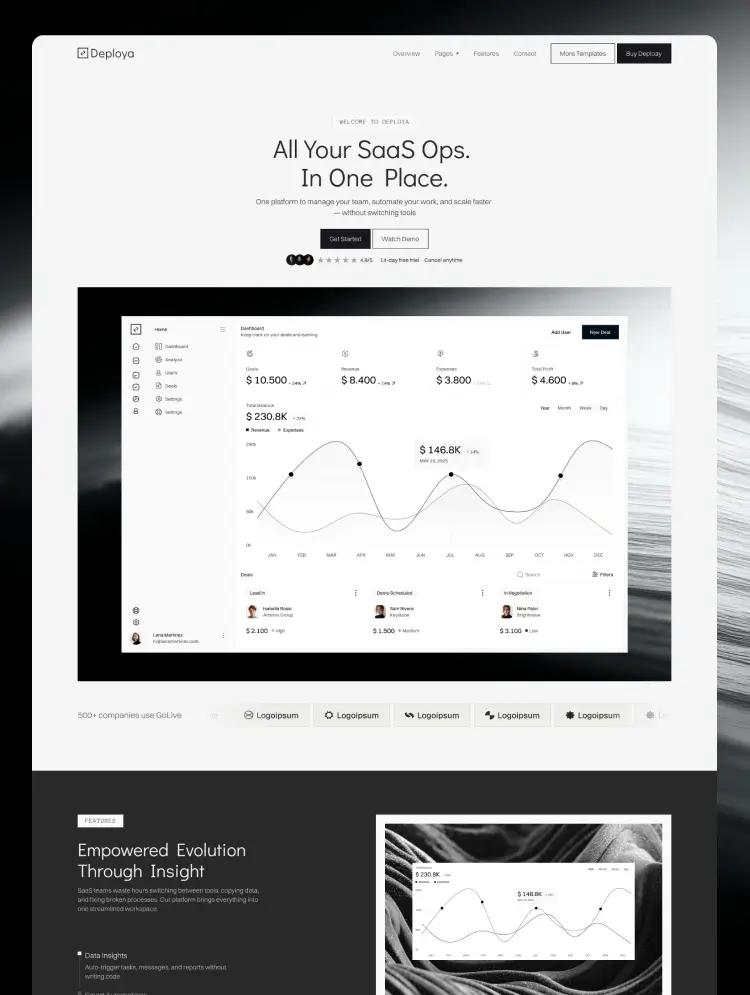
Deploya is one of the most comprehensive SaaS templates in this selection. With 25 unique pages, multiple homepage and feature-page variations, and more than 60 sections, it provides the depth required by a startup whose website is likely to grow alongside its product.
The template includes three homepage options, three feature-page variations, three contact-page layouts, pricing, integrations, a blog, a demo page, a waitlist, a changelog, and legal pages. Pricing plans and integrations are managed through Webflow CMS, making it easier to maintain structured content without manually rebuilding each page.
This breadth makes Deploya suitable for SaaS startups that have moved beyond initial validation. A company can create separate pages for important capabilities, publish integration details, document product updates, and support different conversion paths for visitors who want to start immediately, request a demo, or join a waitlist.
Deploya also includes a Figma file, a variable-based design system, and a structure based on the Client-First naming convention. These details are valuable for teams that expect designers, marketers, or Webflow developers to continue working on the website after launch. The template offers a more systematic foundation than a visually attractive set of disconnected pages.
The main trade-off is complexity. Deploya provides considerably more than most early-stage startups need, and its potential depends on the team’s ability to adapt the structure thoughtfully. Using every available page or section would not necessarily produce a better website.
Best suited for
Growing B2B SaaS startups
Products with multiple features or integrations
Companies using demos, trials, and waitlists as separate conversion paths
Startups that publish changelogs and ongoing product content
Teams with access to a designer, marketer, or Webflow specialist
What to consider
Deploya may be excessive for a founder who only needs a focused website to validate an early product idea. Its larger page system requires more copy, product information, and maintenance than a compact landing-page template.
Webflow also has a steeper learning curve than simpler visual website builders, particularly when working with CMS collections, responsive layouts, and reusable components. The template price does not include the Webflow site plan, and additional workspace or collaboration costs may apply depending on how the team manages the project.
9. WriteLatte — best for SaaS startups with extensive support content
Platform: Webflow
Price: Check the current marketplace price
Created by: Salmon Pixel
WriteLatte stands out for the amount of supporting content it can accommodate. Its 32-page structure includes a help center, support categories, individual support articles, integrations, a blog, team and careers pages, downloads, ecommerce layouts, search, legal pages, a changelog, and a style guide.
This makes the template especially relevant to SaaS startups whose website must do more than attract new customers. A growing product may also need to educate existing users, answer recurring questions, document integrations, distribute resources, and communicate product updates. WriteLatte brings these functions into one consistent website system.
The support center is its clearest differentiator. Categories and articles can be managed through Webflow CMS, allowing a startup to build a searchable knowledge base without creating every help page manually. For products with an expanding feature set or a significant onboarding process, this can reduce dependence on one-to-one support and make useful information easier to find.
Integrations, blog posts, and other repeatable content types also benefit from CMS management. As the startup grows, team members can add new entries using structured fields rather than designing a new page for every piece of content.
WriteLatte includes marketing layouts for sign-in, sign-up, and password-related screens. These can help create a visually consistent transition between the public website and the product experience, but they should not be mistaken for a functioning authentication system.
Best suited for
SaaS products that need a substantial help center
Startups with complex onboarding or recurring support questions
Products with multiple integrations
Companies publishing resources, downloads, and product updates
Teams that want marketing and support content within one Webflow project
What to consider
WriteLatte’s 32 pages make it one of the largest templates in this guide. That can be valuable for a mature product, but early-stage teams may pay for and manage a content system they do not yet need.
The included account-related pages are front-end marketing layouts only. They do not create user authentication, password recovery, subscriptions, or a working SaaS application. These functions require a separate product stack or third-party integrations.
Teams should also consider whether Webflow is the right place for their long-term documentation. A native help center can provide greater visual consistency, while a dedicated documentation platform may offer more specialized search, versioning, and product-support functionality.

10. SaasLauncher — best WordPress template system for flexibility and self-hosting
Platform: WordPress
Price: Free, with paid upgrades
Created by: CozyThemes
SaasLauncher is the most flexible option in this selection for startups that prefer WordPress and want greater control over hosting, plugins, and long-term site ownership. Rather than functioning as a single fixed website template, it provides a broader collection of starter sites, page sections, blocks, and style variations.
The theme is built for the WordPress Site Editor and Gutenberg, the platform’s native block-based editing system. It includes more than 70 sections, 50 starter templates, over 50 blocks, and 15 style variations. This gives startups several possible foundations without requiring a separate visual page builder for every layout change.
SaasLauncher also supports WooCommerce, translation, and right-to-left languages. Plugins can extend the website with forms, memberships, ecommerce, analytics, SEO controls, or other functionality. This makes it more adaptable than a closed template when a startup has requirements that extend beyond a conventional marketing site.
The trade-off is that this flexibility introduces more decisions. Hosting, security, backups, plugin compatibility, performance, and software updates may all become the responsibility of the startup or its technical partner. The final experience will depend not only on the theme but also on the hosting provider and the collection of plugins used.
SaasLauncher is therefore most compelling for teams that already prefer the WordPress ecosystem or have someone capable of managing it. For a non-technical founder who simply wants to launch a polished marketing website quickly, Framer or a managed Webflow setup may offer a more straightforward route.
Best suited for
Startups that specifically want WordPress
Teams that prioritize self-hosting and platform flexibility
Content-driven companies expecting a large editorial website
Startups that may add ecommerce or plugin-based functionality
Businesses with access to WordPress development or maintenance support
What to consider
Although SaasLauncher is available for free, that does not make the complete website free to operate. Startups still need hosting and a domain, and may eventually require premium blocks, plugins, integrations, security services, or development assistance.
WordPress also requires more ongoing technical attention than an all-in-one website builder. Plugins and themes must be kept current, backups should be maintained, and performance can deteriorate when too many overlapping extensions are installed.
SaasLauncher should be understood as a configurable WordPress system rather than a single finished SaaS design. This provides more freedom, but it may require more setup and design judgment to produce a coherent result.
Also worth considering
The following templates did not make the main selection, but each could be a better choice under a narrower set of requirements.
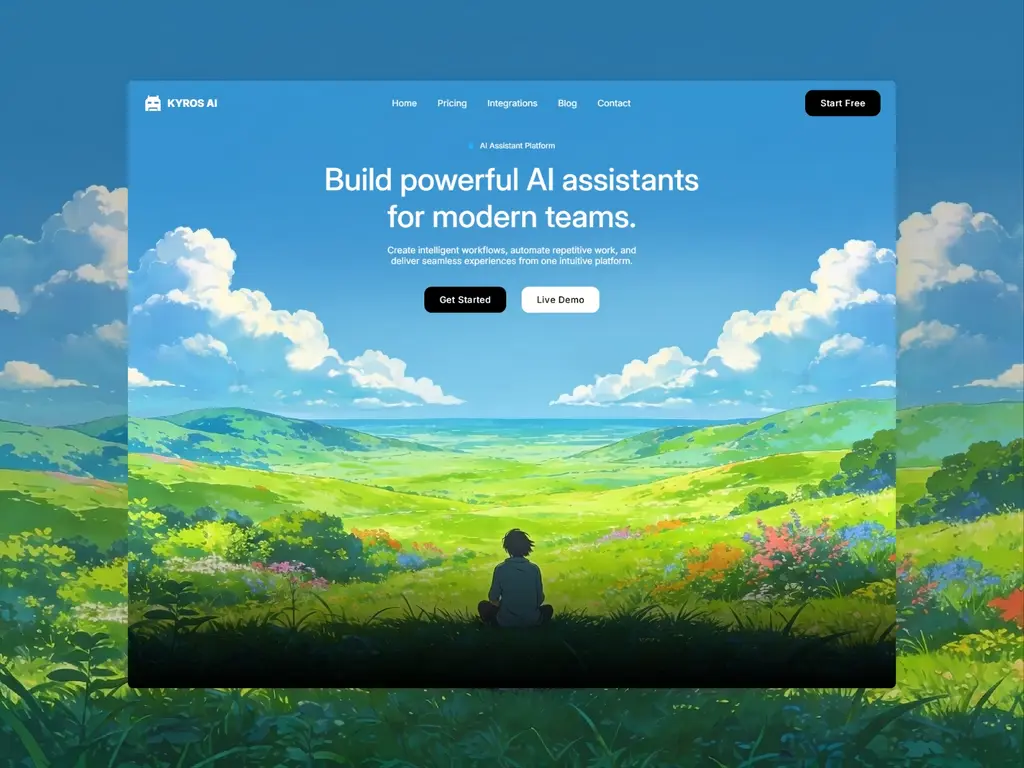
KyrosAI
KyrosAI is a more affordable option for AI and SaaS startups looking for a restrained, professional visual direction. It does not offer the same content depth as Lumis, but may be more appropriate for a smaller team that needs a focused product presentation without an extensive website architecture.
Consider KyrosAI if you want an AI-oriented Framer template but do not yet need dedicated case studies, a comprehensive integration library, or a large editorial system.
FintechX
FintechX is a free Framer landing-page template for fintech products. Its main advantage is accessibility: an early-stage founder can create a more credible initial web presence without purchasing a premium template.
Its scope is more limited than PAYE or Lunera Pro, so it is better suited to validating an idea, collecting early sign-ups, or presenting a simple financial product. Startups should expect to expand or restructure the site once they need detailed product pages, customer evidence, resources, or broader company information.
Lunera Pro
Lunera Pro is another free option for finance-related startups, but it offers a more complete website foundation than a basic landing page. It is particularly relevant to financial apps and consumer-facing money-management products.
Choose Lunera Pro over FintechX if you need a broader product story from the beginning. PAYE remains the stronger choice for a mature B2B payroll, HR, or financial operations company that relies on case studies and institutional credibility.
Appzen
Appzen offers a simpler and less expensive route for founders launching a mobile app. It may be sufficient when the primary objective is to explain a small number of features and direct visitors to download or join the product.
AppNext remains the more versatile option for startups expecting to add pricing, company content, a blog, and multiple product sections. Appzen is worth considering when speed and a smaller initial investment matter more than long-term page depth.
Visability
Visability is designed for agencies working in answer engine optimization, generative engine optimization, and adjacent AI search services. Its positioning is unusually specific, which can save considerable customization for a startup serving this emerging category.
That specialization also limits its broader relevance. Aero offers a more adaptable structure for AI consultancies and technical service businesses, while Visability is the more direct option for a company whose core offer revolves around visibility in AI-generated search results.
Framer vs. Webflow vs. WordPress for startup websites
The right platform depends on who will build and maintain the website, how quickly it needs to launch, and how complex its content or functionality is likely to become.
Platform | Best for | Main advantage | Main limitation |
|---|---|---|---|
Framer | Founders and design-led teams that want to launch quickly | Fast visual workflow with hosting and publishing in one platform | Less suitable for highly complex content systems or plugin-dependent functionality |
Webflow | Growing marketing teams with more structured content requirements | Powerful CMS and greater control over larger marketing websites | Steeper learning curve and more demanding site management |
WordPress | Teams that prioritize flexibility, self-hosting, and an extensive plugin ecosystem | Broad customization and control over hosting and functionality | More setup, maintenance, security, and performance responsibility |
Framer
Framer is often the most accessible choice for a startup that wants to publish a polished marketing website quickly. Its visual editor, integrated hosting, responsive layout tools, animations, and CMS make it possible to create and maintain a professional site without assembling a large technical stack.
It is particularly effective for landing pages, product websites, portfolios, startup blogs, and moderately sized marketing sites. Founders can often make routine copy and image changes without developer support once the template has been configured.
Framer becomes less compelling when a website requires a highly complex CMS architecture, advanced ecommerce, extensive plugin-based functionality, or deeply customized application logic. It should also be remembered that a Framer website remains hosted within Framer’s ecosystem.
Webflow
Webflow offers more granular control over website structure and is well suited to startups building a substantial marketing operation. Its CMS can support features, integrations, customer stories, documentation, resources, and other repeatable content types across a larger site.
This makes it particularly relevant after product validation, when the website is expected to support multiple campaigns, audience segments, and acquisition channels. Templates such as Deploya and WriteLatte demonstrate how far a Webflow marketing site can extend beyond a single product landing page.
The additional control comes with a steeper learning curve. Teams unfamiliar with Webflow may need a specialist to customize the template properly and establish a maintainable system. A large template can also become difficult to manage if pages and components are added without clear conventions.
WordPress
WordPress offers the greatest degree of ecosystem flexibility among the three platforms. Startups can choose their own hosting provider and extend the website with plugins for ecommerce, memberships, SEO, localization, forms, analytics, and many other requirements.
It can be an effective choice for content-heavy startups, teams with existing WordPress experience, or companies that want more control over infrastructure and future development.
That control creates additional operational responsibility. Hosting quality, plugin selection, software updates, security, backups, and performance all influence the final result. A poorly maintained WordPress website can become slower and more vulnerable over time, regardless of the quality of its original theme.
How to choose a website template for your startup
A strong template should reduce the amount of design and structural work required to launch. It should not force the startup to invent content, features, or business processes simply to fill the available pages.
Start with your current stage
An early-stage startup validating an idea usually benefits from a smaller website. A focused landing page with a clear value proposition, product explanation, social proof, and one primary call to action may be more useful than an elaborate 30-page system.
Once the startup has customers, integrations, case studies, documentation, and an active content strategy, a more extensive template becomes easier to justify. Deploya or WriteLatte may support that stage better than a compact MVP template such as Fiidbakk.
Choose for the next realistic phase of the company, not for an imagined future in which every possible page is needed.
Evaluate structure before visual style
Colors, typography, and images are usually easier to change than the underlying architecture. Before choosing based on appearance, review the template’s pages, navigation, CMS collections, reusable components, and conversion paths.
A visually appealing template may still be a poor fit if it lacks essential structures such as pricing, integrations, case studies, product pages, or support content. Conversely, a template with the right architecture can often be adapted to a different visual identity.
Compare the template with your actual content
Review the demo using the content your startup can genuinely provide. If a template depends heavily on customer logos, testimonials, impact statistics, and detailed case studies, consider whether those assets currently exist.
Empty sections and invented proof weaken credibility. It is usually better to remove unnecessary content than to fill the site with vague claims or placeholder information.
The same principle applies to product imagery. Templates designed around interface screenshots work best when the startup has a product that can be shown clearly. A service-based or infrastructure company may benefit more from project evidence, diagrams, team expertise, or process explanations.
Consider who will maintain the website
The person responsible for ongoing updates should influence the platform and template choice. A founder making occasional copy changes may prefer Framer’s more direct visual workflow. A marketing team managing many structured content types may benefit from Webflow. A company with internal WordPress expertise may value the flexibility of a self-hosted system.
A website that depends on outside support for every small edit can become expensive and slow to maintain. Before buying a template, determine whether the team can comfortably update its pages, CMS entries, navigation, forms, and integrations.
Calculate the complete cost
The listed template price is only one part of the investment. Depending on the platform and project, the complete cost may include:
A platform or hosting plan
A custom domain
Professional customization
Copywriting and product imagery
Plugins or third-party services
Additional CMS or localization requirements
Ongoing maintenance and technical support
A free template can become expensive if it requires extensive restructuring. A paid template may offer better value when its page architecture and content system closely match the startup’s needs.
Estimate how much customization is required
Every template needs some customization. At minimum, a startup should replace the logo, colors, typography choices, imagery, product screenshots, calls to action, and all demo copy.
More substantial changes may involve restructuring pages, creating CMS collections, adapting responsive layouts, or building new components. If most of the template needs to be replaced, it may not be the right starting point.
The goal is not to preserve the original design exactly. It is to use an appropriate foundation that reduces the time, cost, and uncertainty involved in creating a website aligned with the startup’s product and brand.
Free vs. paid startup website templates
A free template can be enough for an early-stage startup, particularly when the immediate goal is to validate an idea, collect sign-ups, or establish a basic web presence. Echo Agent, FintechX, Lunera Pro, and the free version of SaasLauncher demonstrate that founders do not necessarily need to purchase a premium template to launch a credible website.
However, price alone is not a reliable measure of value. Free templates often include fewer pages, CMS collections, components, and content structures. They may work well for a focused launch but require more design and development work when the startup needs pricing pages, integrations, case studies, documentation, or a larger blog.
Paid templates generally make the most sense when their structure closely matches the startup’s requirements. Paying for pages and components that would otherwise need to be designed from scratch can save considerable time. The benefit comes from the relevance and completeness of the system, not simply from a more polished visual style.
Before choosing a free template, consider:
Whether it includes the pages required for launch
Whether the design can be customized without rebuilding it
Whether it is actively maintained by its creator
Whether documentation or creator support is available
Whether the site can expand without migrating to another template
Whether the license covers the intended use
A free template that requires extensive restructuring may ultimately cost more than a suitable paid option. Conversely, a startup with a simple offer should not purchase an elaborate template merely because it includes more pages.
Frequently asked questions
What should a startup website include?
At minimum, a startup website should clearly explain what the product or service does, who it is for, why it is useful, and what the visitor should do next.
Most startup websites also benefit from:
A clear value proposition
A product or service explanation
Relevant screenshots or visual evidence
Customer testimonials or other credible proof
Pricing or an explanation of how to get started
Information about the company or team
Contact details
Privacy and other necessary legal pages
Additional sections such as integrations, case studies, a blog, documentation, careers, and a changelog should be added when they support real customer or business needs.
Is Framer, Webflow, or WordPress better for a startup?
Framer is generally the most straightforward option for startups that want to create a design-led marketing website quickly. Webflow offers greater structural depth for growing marketing sites with multiple CMS collections. WordPress provides the most ecosystem flexibility and control over hosting, but requires more ongoing maintenance.
There is no universally superior platform. The best choice depends on the website’s complexity, the team’s technical experience, and who will be responsible for maintaining it.
Does an early-stage startup need a complete website or just a landing page?
A landing page is often sufficient when a startup is validating demand, building a waitlist, or launching an initial version of its product. At this stage, clarity and a focused call to action matter more than the number of pages.
A complete website becomes more useful when visitors need to compare plans, explore multiple features, review integrations, assess customer results, read support content, or learn more about the company before making a decision.
Are free website templates good enough for startups?
Some free templates are entirely suitable for an initial startup website. Their value depends on the quality of the structure and how closely it matches the startup’s content.
A free template may be less economical if it requires extensive customization or lacks essential pages. Founders should compare the total work involved rather than assuming that the lowest purchase price represents the lowest overall cost.
How much does a startup website template cost?
The templates in this guide range from free to approximately $129 at the time of review. Marketplace prices can change, and the template purchase usually does not include the platform plan, hosting, domain, customization, third-party services, or ongoing maintenance.
The final website budget can therefore range from a relatively small platform subscription for a self-customized template to several thousand dollars when professional strategy, copywriting, design, development, and custom integrations are required.
Can a startup website template scale with the business?
A well-chosen template can support substantial growth on the marketing side of the business. CMS collections, reusable components, design variables, and clearly organized page structures make it easier to add features, integrations, case studies, articles, and other content.
However, every system has limits. A startup may eventually need to restructure the website, adopt a dedicated documentation platform, introduce new integrations, or move to a custom implementation. Choosing an appropriate template can postpone that work, but it cannot guarantee that the original structure will remain suitable indefinitely.
How much should a startup customize a website template?
A startup should customize enough of the template to create a recognizable and credible brand. The logo, colors, typography, imagery, product screenshots, copy, and calls to action should all reflect the actual company.
The original layout does not need to be changed simply for the sake of appearing different. Structural changes should solve a specific content, usability, or conversion problem. Keeping well-designed parts of a template is one of the reasons to use one in the first place.
Does the template price include hosting?
Usually not. Framer and Webflow templates require a separate platform plan to connect a custom domain and publish the website with the required features. A WordPress theme requires separate hosting, although some hosting providers include WordPress installation as part of their plans.
Always check the current platform costs, CMS limits, bandwidth, localization options, and collaboration requirements before purchasing a template.
Does a SaaS website template build the actual product?
No. A website template creates the public-facing marketing website. It may include visual layouts for dashboards, account pages, sign-in screens, or checkout flows, but these layouts do not provide working application functionality.
Authentication, databases, user accounts, subscriptions, billing, product dashboards, and other software features require a separate application stack or appropriate third-party services.
Final thoughts
The best website template for a startup is not necessarily the one with the most pages or the most distinctive visual effects. It is the one that matches the company’s current stage, product category, available content, and ability to maintain the website.
Fiidbakk and Echo Agent provide focused foundations for early validation. Lumis, PAYE, and AppNext address more specific product categories. Quantrex and Aero support companies that need to communicate technical expertise, projects, or services. Deploya and WriteLatte offer the depth required by growing SaaS marketing teams, while SaasLauncher provides a flexible WordPress route for startups that value self-hosting and extensibility.
Use the demos to evaluate structure rather than treating them as finished brands. Remove pages that do not serve a clear purpose, replace generic claims with credible evidence, and choose a platform the team can realistically manage.
A strong template will not define the startup’s positioning or build its product. What it can do is provide a considered foundation, reduce avoidable design work, and help the company communicate more clearly from its next stage onward.

Try Systeme.io
Your website is only the beginning.
Take your Framer site further with funnels, email marketing, automation, bookings and more.


AFFILIATE PARTNER